PortSwigger Walkthrough - Username enumeration via subtly different responses
Walkthrough of PortSwigger's 'Username enumeration via subtly different responses' lab.

To browse all labs in this series, visit the full PortSwigger series.
All testing shown in this series is performed against PortSwigger Academy’s intentionally vulnerable labs.
Do not apply these techniques to systems you do not own or have explicit written permission to test.
What’s this?
Same concept as the previous lab, but this time the developer made more of an effort. The error messages look identical to the naked eye: “Invalid username or password.” But one of them is missing the trailing period. That single character is enough.
This lab demonstrates that you do not need an obvious difference to leak username information. Even tiny, nearly invisible inconsistencies in response content can be detected automatically and exploited. Sorting by length would still work here, but for responses this similar, Burp’s Grep - Extract feature is the cleaner tool.
Objective
Enumerate a valid username through a subtle difference in the error message, brute-force the password, and log in.
Walkthrough
The setup is identical to the previous lab: capture a POST /login request, send it to Intruder, set the payload position on the username, and load the candidate usernames wordlist.
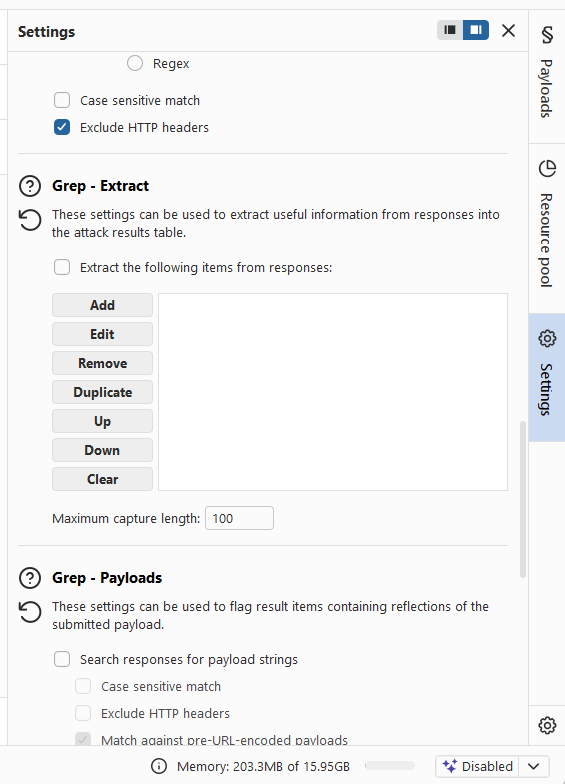
Before starting the attack, go to Settings in the Intruder tab and find the Grep - Extract section. Click Add, then fetch a response from the target and select the content of the error message element:
1
Invalid username or password.
Click OK. Intruder will now pull that exact string from every response into its own column, making comparison trivial.
Start the attack. Once it finishes, sort by the extracted column. Every row will show Invalid username or password. except one, which shows Invalid username or password without the period. That is the valid username: applications.

Now fix username=applications in the request, move the payload position to the password, and load the candidate passwords wordlist. Run the attack and look for the 302 redirect. The credentials are applications:andrew.
Log in and the lab is done.