PortSwigger Walkthrough - Username enumeration via account lockout
Walkthrough of PortSwigger's 'Username enumeration via account lockout' lab.

To browse all labs in this series, visit the full PortSwigger series.
All testing shown in this series is performed against PortSwigger Academy’s intentionally vulnerable labs.
Do not apply these techniques to systems you do not own or have explicit written permission to test.
What’s this?
Account lockout is supposed to protect against brute-force attacks by locking the account after a number of failed attempts. The irony is that the lockout itself becomes the oracle. If the application only locks real accounts and returns a different message when it does, an attacker can try each username a handful of times and watch for the lockout response. Accounts that do not exist just return the generic error message indefinitely, while valid ones eventually say “too many attempts”. The defense is doing the enumeration for us.
Objective
Enumerate a valid username by exploiting the account lockout logic, brute-force the password, and log in.
Walkthrough
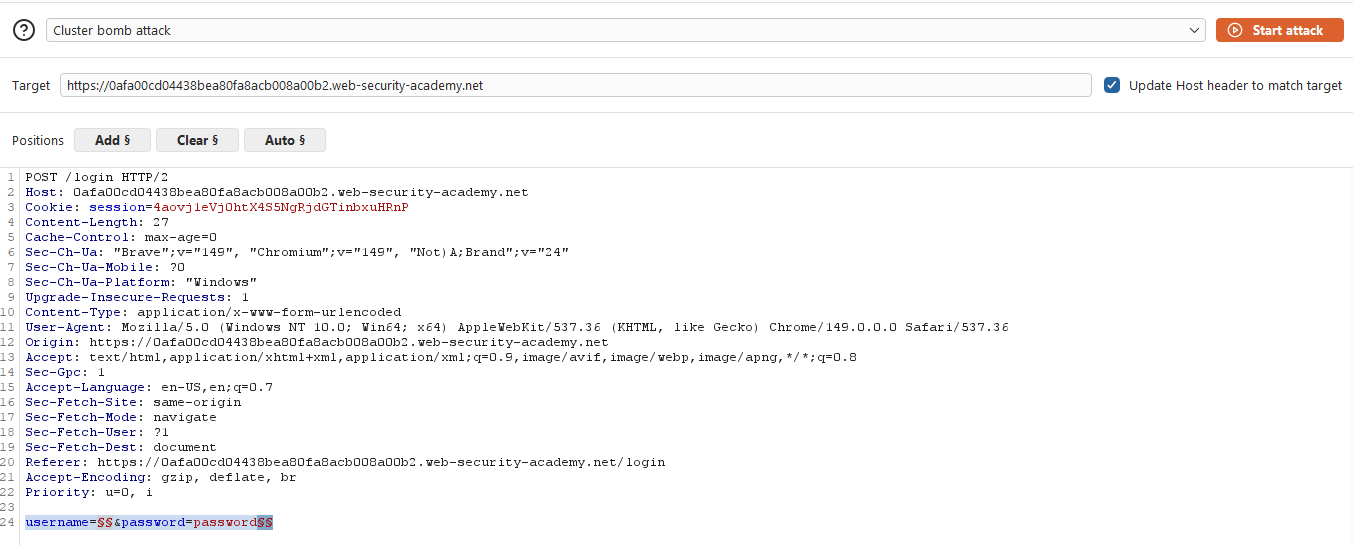
We need to try each username several times in a row to trigger the lockout for any real account. Send a login attempt to Intruder and set the attack type to Cluster Bomb. Add payload positions on both username and password.
- Payload set 1: the candidate usernames wordlist
- Payload set 2: set the type to
Null payloadsand generate 10 payloads
The Cluster Bomb attack tries every combination, so each username gets attempted 10 times. The null payloads just send 10 identical (wrong) passwords per username, which is enough to trigger a lockout for any real account.
If you are using Burp Suite Community Edition, the random request order might stop this from working. CE does not guarantee that the same username is tried consecutively, so the lockout might never trigger. If you have Professional, use it here. Otherwise: custom script, or luck.
Start the attack and wait. Once it finishes, sort by Length. One username will produce a longer response with a completely different error message: You have made too many incorrect login attempts. instead of the generic Invalid username or password. That is the valid username.

The valid username is austin. Wait for the lockout period to expire (about 1 minute), then run a Sniper attack against the password field with username=austin fixed and the candidate passwords wordlist. The credentials are austin:000000.
Log in and the lab is solved.