DVWA Walkthrough XIV - JavaScript Attacks
A walkthrough of the Damn Vulnerable Web Application (DVWA) module 14, JavaScript Attacks.
To further your understanding of DVWA, explore the comprehensive DVWA walkthrough or browse the full DVWA series to master every vulnerability level.
JavaScript Attacks
What’s this?
JavaScript attacks exploit client-side code flaws like DOM XSS, prototype pollution, or insecure eval() usage to execute malicious scripts in users’ browsers. PortSwigger Academy covers vulnerabilities where unsanitized inputs reach dangerous sinks like document.write() or innerHTML, enabling payload execution without server involvement. In DVWA, this simulates unsafe JS handling of user data across security levels, mimicking real-world single-page app risks.
JavaScript attacks lead to session theft, keylogging, or phishing directly in victims’ browsers, bypassing server defenses and enabling persistent malware.
Objective
The main goal of this module is submit the phrase “success”.
Security: Low
Help
All the JavaScript is included in the page. Read the source and work out what function is being used to generate the token required to match with the phrase and then call the function manually.
Check the source code here.
When we input success, we get an error message:
Invalid token. But what is thistoken? We can inspect it using Burp: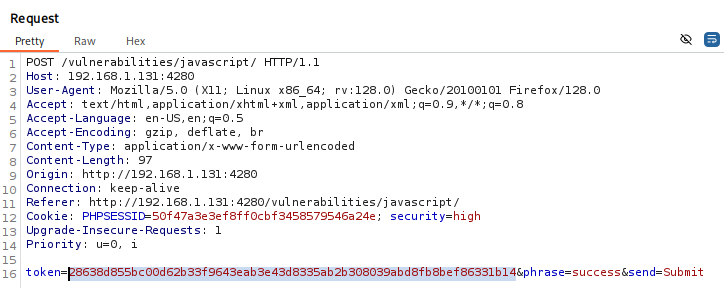
By checking the source code, we can see how the
tokenis generated. First, the phrase is encoded using ROT13, and then the result is hashed with MD5. Let’s do the same withsuccessusing CyberChef: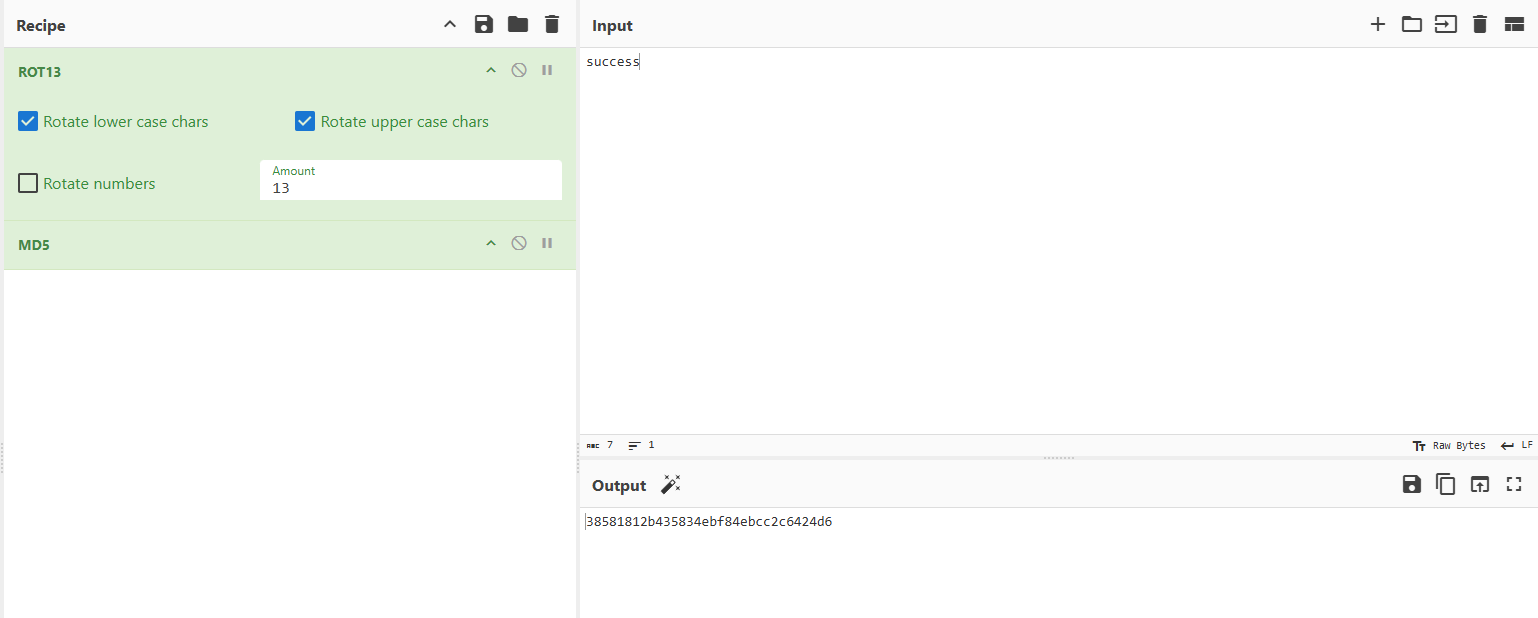
Send the request with the resulting value as the
token, and we’re done: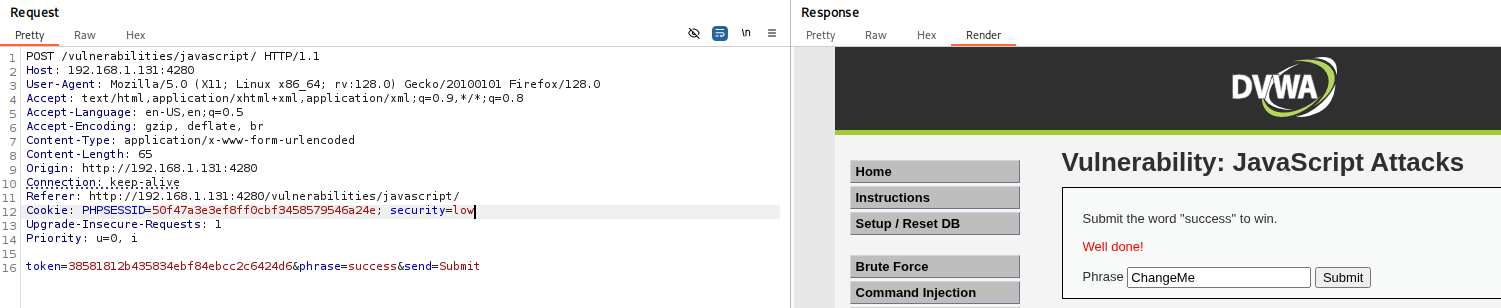
Security: Medium
Help
The JavaScript has been broken out into its own file and then minimized. You need to view the source for the included file and then work out what it is doing. Both Firefox and Chrome have a Pretty Print feature which attempts to reverse the compression and display code in a readable way.
Check the source code here.
- If we take a look at how the
tokenis generated, it becomes fairly obvious.XXis added at the beginning, and then the phrase is reversed and wrapped again withXX. Therefore, thetokenshould be:XXsseccusXX. To better understand the process, we can use the Debugger in the browser’s developer tools and inspect the execution step by step:
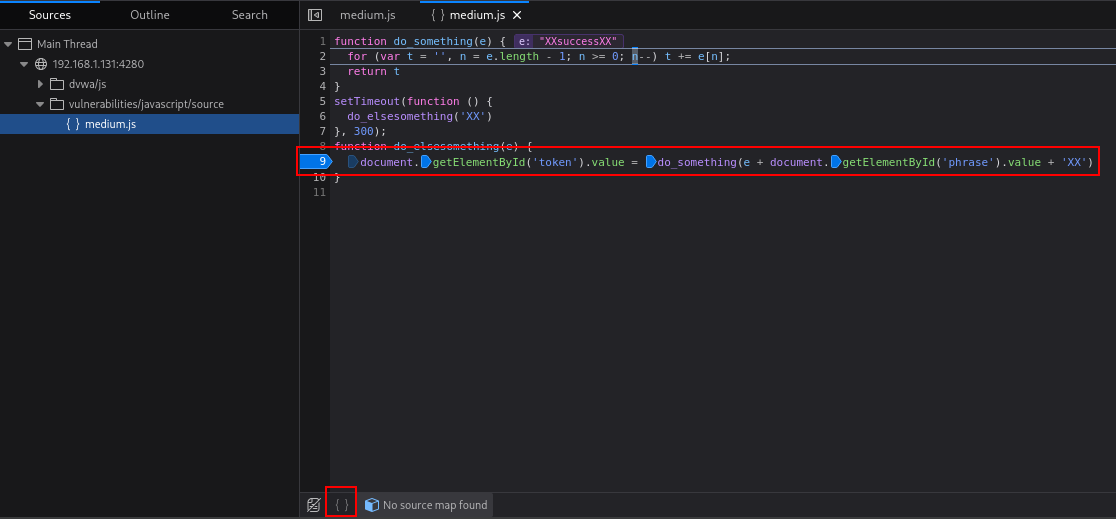 Set breakpoint and beautify
 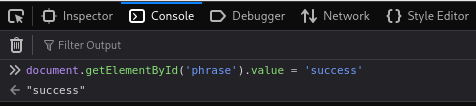 Change
 phrasevalue tosuccess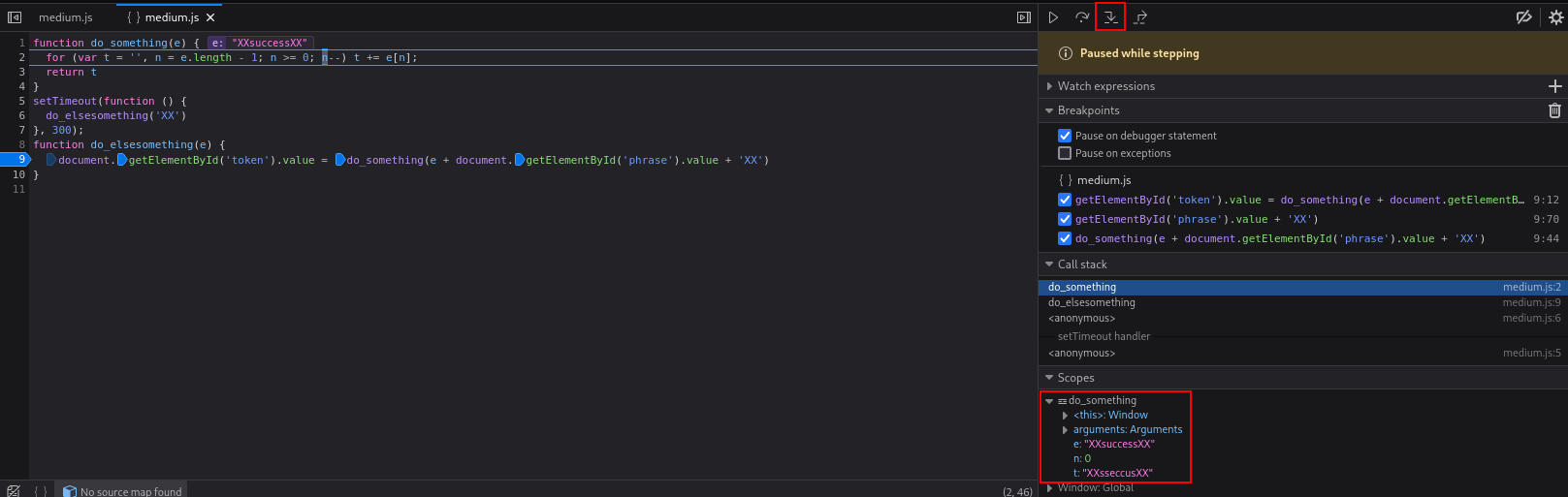 Advance step by step
- Send the request with the correct
tokenand the challenge is solved: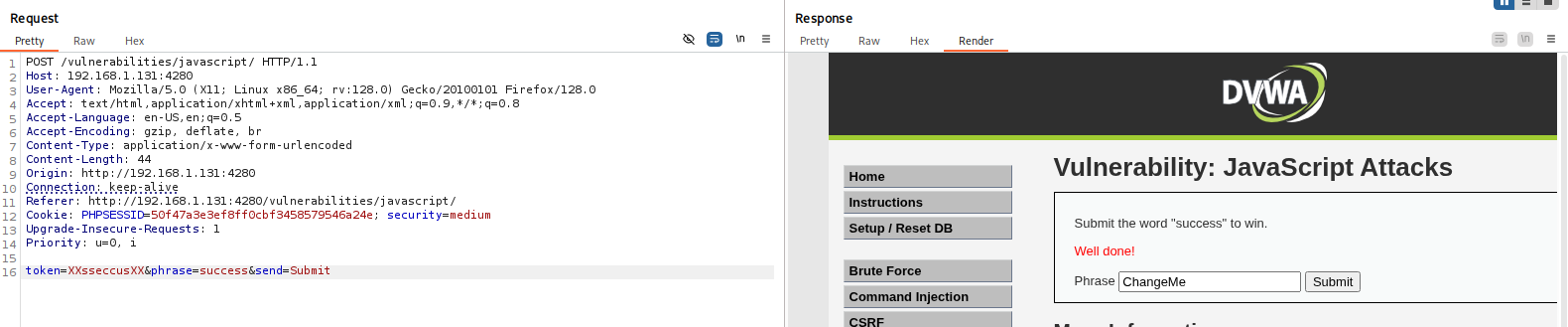
Security: High
Help
The JavaScript has been obfuscated by at least one engine. You are going to need to step through the code to work out what is useful, what is garbage and what is needed to complete the mission.
Check the source code here.
- The code is heavily obfuscated and difficult to read. We can use a deobfuscator to obtain a cleaner version of the script.
The deobfuscated output is more readable and provides some helpful hints, but we still need to debug it dynamically to fully understand the logic. - We can use Burp to replace the original obfuscated JavaScript with the deobfuscated version. After starting an HTTP server to host our modified file, we configure a replace rule:
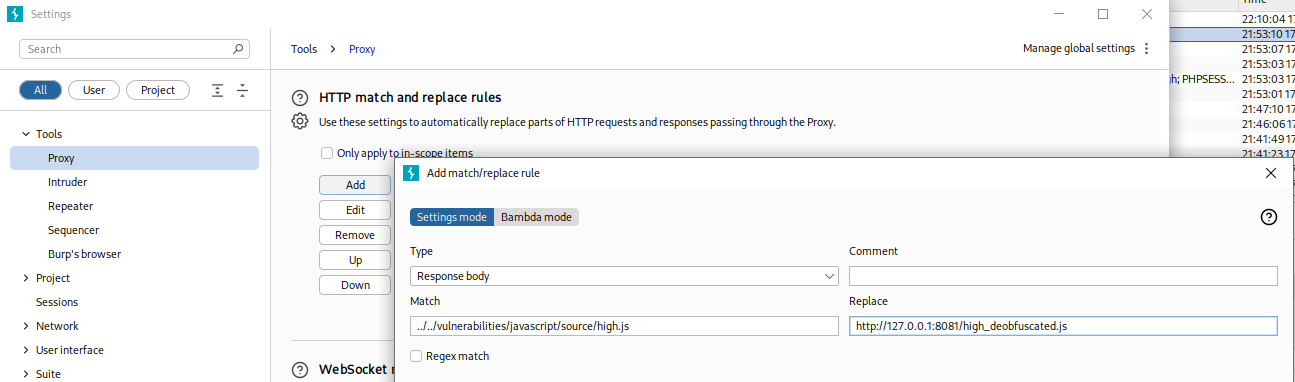 Replace rule for deobfuscated code
 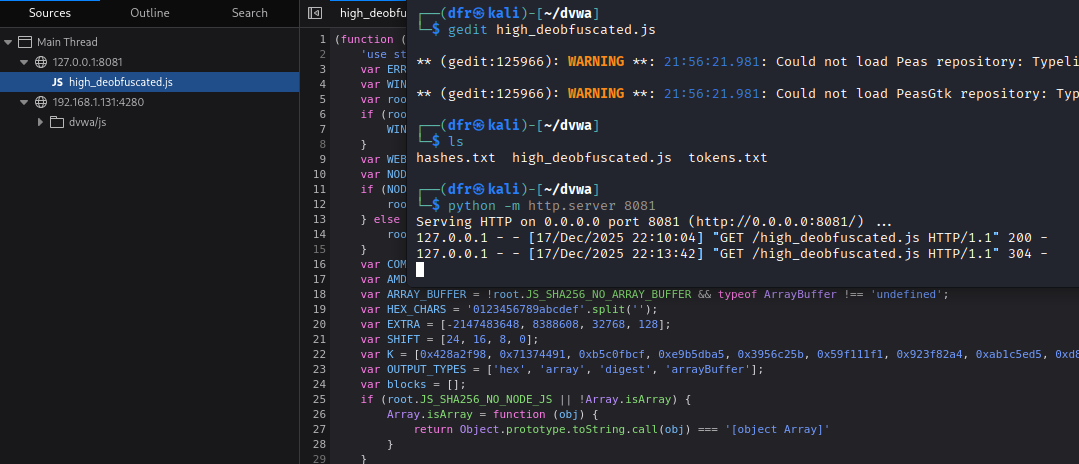 Deobfuscated code
 - We can further tune the proxy and browser settings:
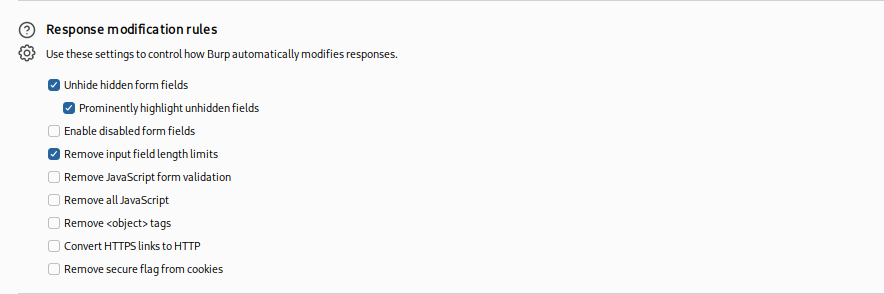 Deobfuscated code
 - Now we can start debugging. First, set the breakpoints, click submit, and step into the first breakpoint. This is where we need to set the
phraseparameter: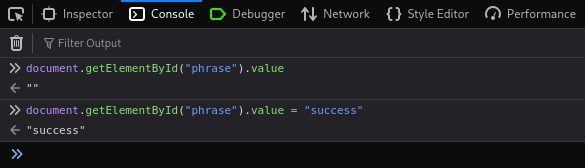
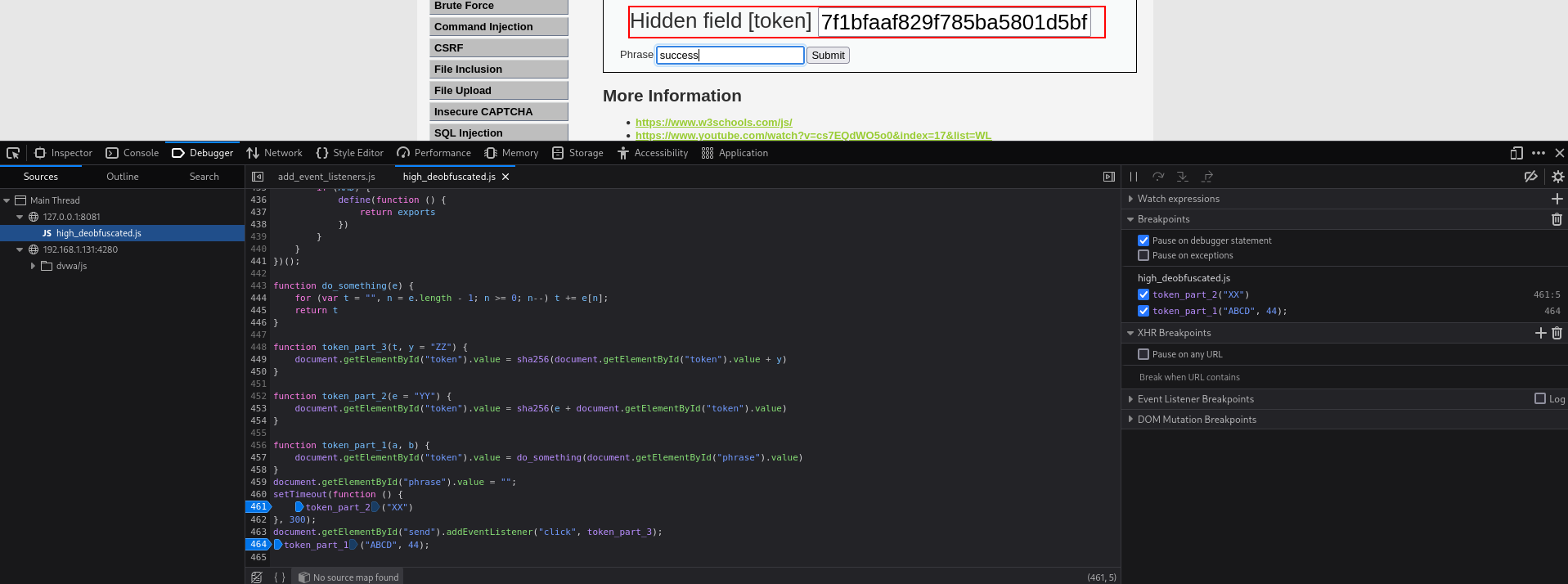
- Once everything is in place, submit
successand the challenge should be solved: