DVWA Walkthrough XIII - Content-Security Policy Bypass
A walkthrough of the Damn Vulnerable Web Application (DVWA) part 13, Content-Security Policy (CSP) Bypass.
To further your understanding of DVWA, explore the comprehensive DVWA walkthrough or browse the full DVWA series to master every vulnerability level.
Content-Security Policy (CSP) Bypass
What’s this?
Content Security Policy (CSP) bypass vulnerabilities occur when attackers evade a site’s CSP header restrictions to execute unauthorized scripts, often via XSS payloads. PortSwigger Research highlights techniques like form hijacking, JSONP endpoint exploitation, or dangling markup on whitelisted domains to load malicious JavaScript despite strict policies. In DVWA, this simulates misconfigurations allowing inline scripts or external resource loads across security levels.
CSP bypasses enable XSS attacks, leading to session hijacking, data theft, or malware distribution, undermining key defenses against client-side injection. They expose users to phishing or account takeovers in production environments.
Objective
The main goal of this part is to bypass Content Security Policy (CSP) and execute JavaScript in the page.
Security: Low
Help
Examine the policy to find all the sources that can be used to host external script files.
This exercise was originally written to work with Pastebin, then updated for Hastebin, then Toptal, but all these stopped working as they set various headers that prevent the browser executing the JavaScript once it has downloaded it. To get around this, there are a selection of links included in the exercise, some will work, some will not, try to work out why.
Check the source code here.
The low security level is not working properly. Supposedly, it should be possible to directly load JavaScript code from the sources allowed in the CSP header, but this is not working. I created a Pastebin file, copied the raw content URL into the input field, and nothing happened.
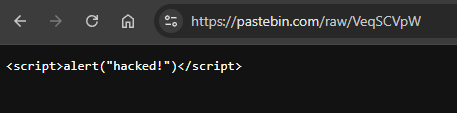
There is a case about this open… Not looking very promising: CSP Bypass can’t be solved with Hastebin anymore (once again).
Security: Medium
Help
The CSP policy tries to use a nonce to prevent inline scripts from being added by attackers.
Check the source code here.
- We can inspect the response headers and see that a
nonceis included in the CSP header. After some research, we find that anonceis a unique, random value generated by the server on every response, and it allows specific inline scripts or styles without using'unsafe-inline'. To execute<script>blocks, the nonce must be included as an attribute.
The issue here is that thenonceis not randomly generated on every response, it does not change at all. - Knowing this, we can reuse it to execute JavaScript code on the server:
1
<script nonce="<csp_nonce>">alert('JavaScript executed!')</script>
Security: High
Help
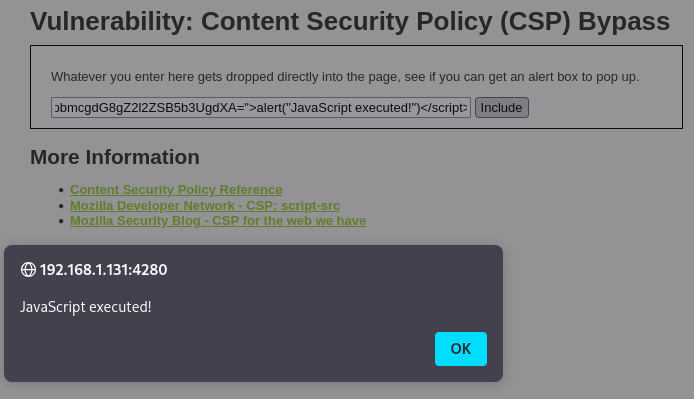
The page makes a JSONP call to source/jsonp.php passing the name of the function to callback to, you need to modify the jsonp.php script to change the callback function.
Check the source code here.
- We are going to focus on the “Execute JavaScript code” part. We can enable request interception and observe what happens when we click the
Solve the sumbutton. - The application makes a request to
/vulnerabilities/csp/source/jsonp.php?callback=solveSum.

- Intercepting the request, we can modify the
callbackparameter and inject JavaScript code directly:1
alert("JavaScript executed!")