DVWA Walkthrough I - Brute Force
A walkthrough of the Damn Vulnerable Web Application (DVWA) module 1, Brute Force.

To further your understanding of DVWA, explore the comprehensive DVWA walkthrough or browse the full DVWA series to master every vulnerability level.
Brute Force
What’s this?
Brute force attacks on login pages systematically try username and password combinations to gain unauthorized access, exploiting weak or absent protections like rate limiting. PortSwigger Academy explains that without defenses such as account lockouts, attackers use tools like Burp Intruder to automate guesses efficiently. In DVWA, this vulnerability simulates real-world flaws in password-based authentication across varying security levels.
Account compromise enables data theft, user impersonation, or privilege escalation, risking breaches and financial loss.
Objective
The main goal of this module is to get the administrator’s password by brute forcing.
Security: Low
Help
The developer has completely missed out any protections methods, allowing for anyone to try as many times as they wish, to login to any user without any repercussions.
Check the source code here.
- Send any login attempt request to Intruder. Add the
usernameandpasswordparameter values to the attack by setting these positions.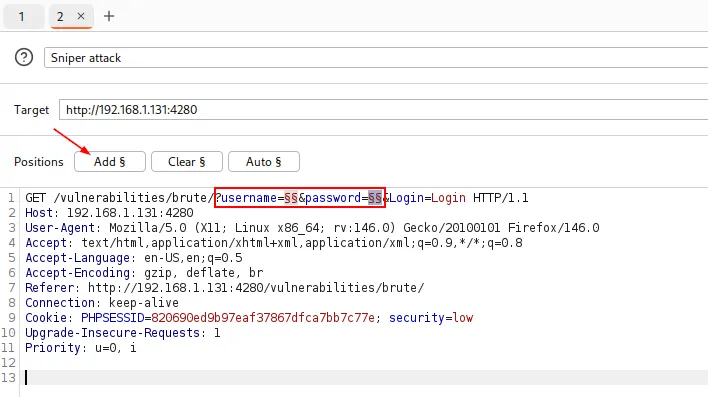
- Configure Intruder with a cluster bomb attack so we try every password from the list against every user in our user list. For the first payload (
username) we’ll use/usr/share/wordlists/metasploit/unix_users.txtand for the second payload (password) we’ll use/usr/share/seclists/Passwords/Common-Credentials/xato-net-10-million-passwords-100.txt. After configuring everything, we can start the attack: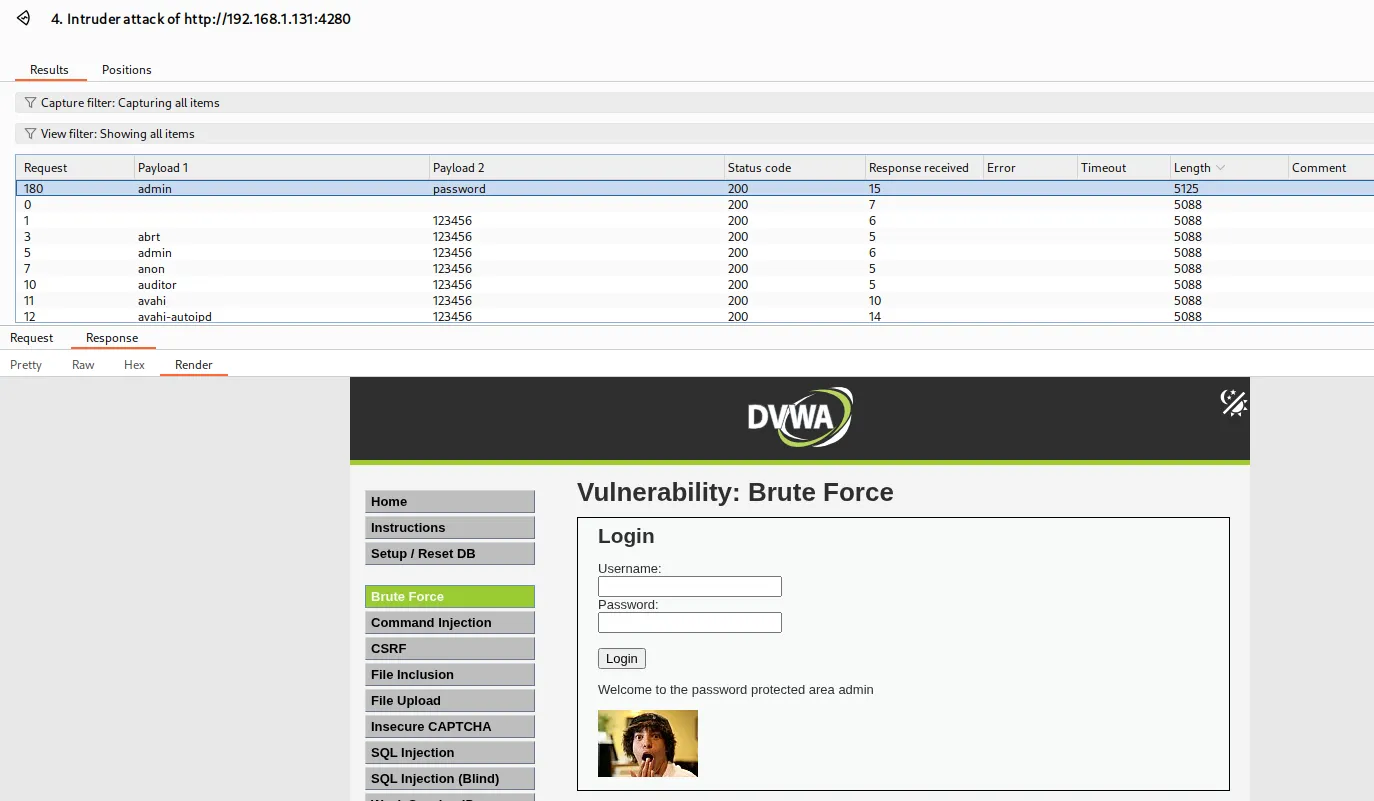
Ordering the results by length, we can see that the successful set of payloads is slightly longer, which confirms the attack was successful.
Security: Medium
Help
This stage adds a sleep on the failed login screen. This mean when you login incorrectly, there will be an extra two second wait before the page is visible.
This will only slow down the amount of requests which can be processed a minute, making it longer to brute force.
Check the source code here.
This security level is practically the same as the previous one. The only change is the addition of a throttle, which makes the attack slightly slower.
Security: High
Help
There has been an “anti Cross-Site Request Forgery (CSRF) token” used. There is a old myth that this protection will stop brute force attacks. This is not the case. This level also extends on the medium level, by waiting when there is a failed login but this time it is a random amount of time between two and four seconds. The idea of this is to try and confuse any timing predictions.
Using a CAPTCHA form could have a similar effect as a CSRF token.
Check the source code here.
This security level introduces a new parameter: user_token, which is basically a CSRF (Cross-Site Request Forgery) token. To perform this attack, we’ll need to create and configure both a Macro and a Rule.
Macro creation
- Settings → Sessions → Macros → Add
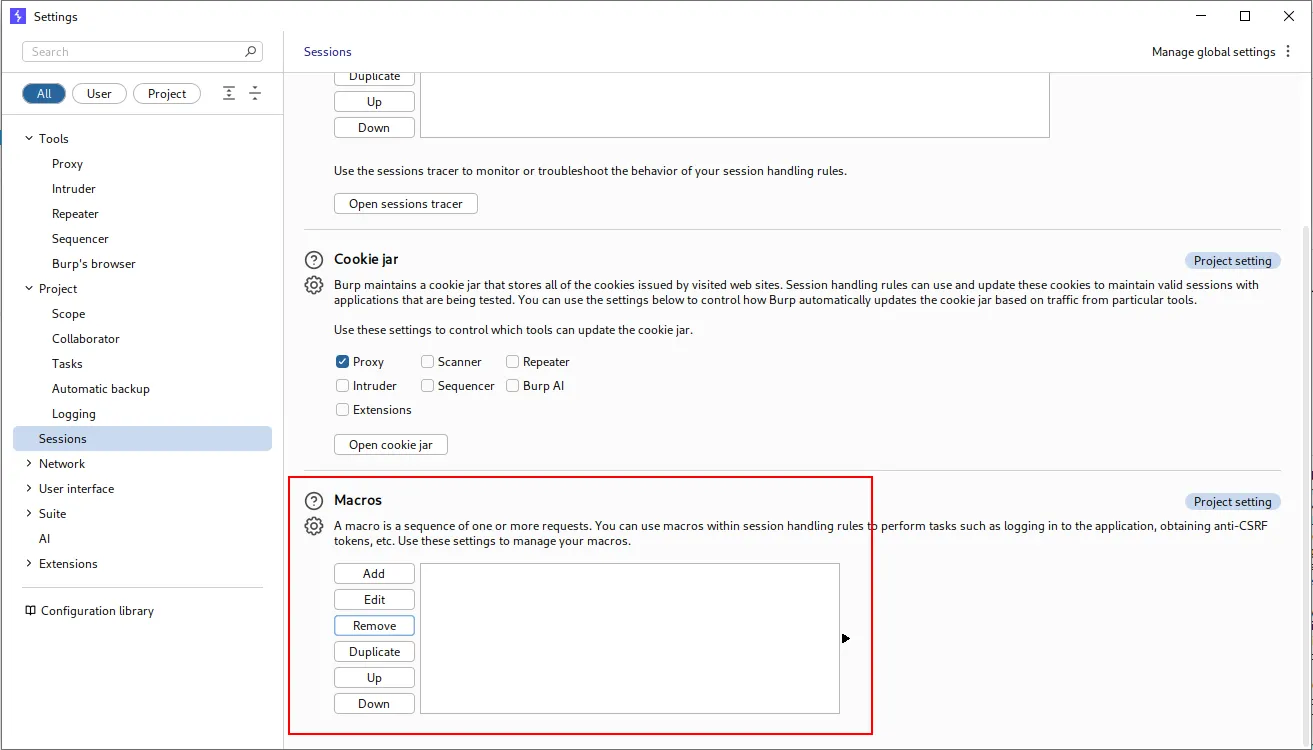
- Add the initial request to
/vulnerabilities/brute/to capture the CSRF token: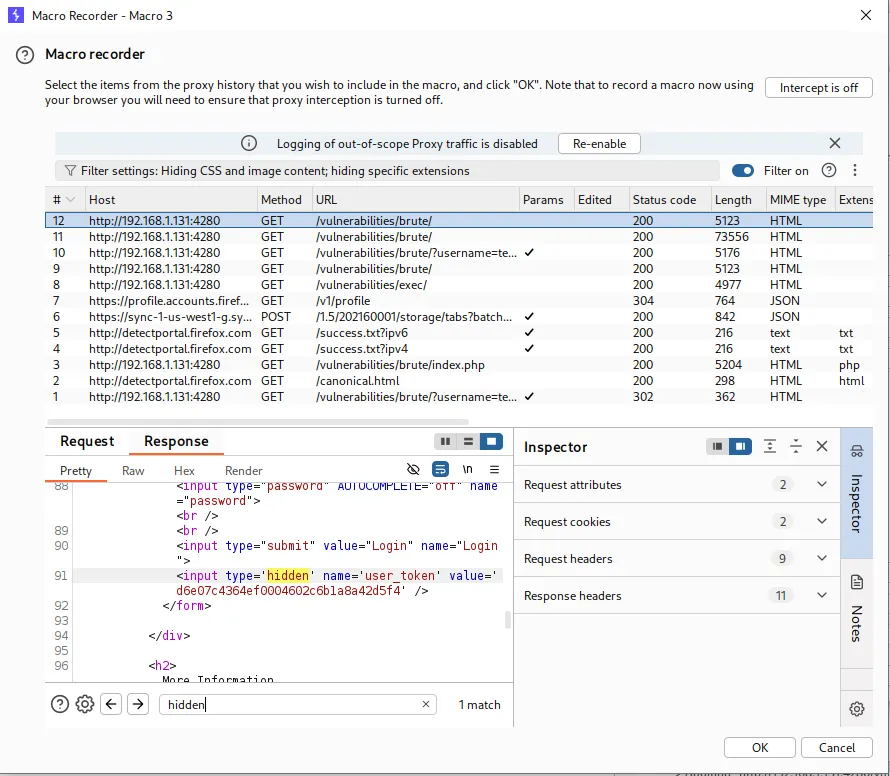
- Click on
Configure itemand add a new parameter: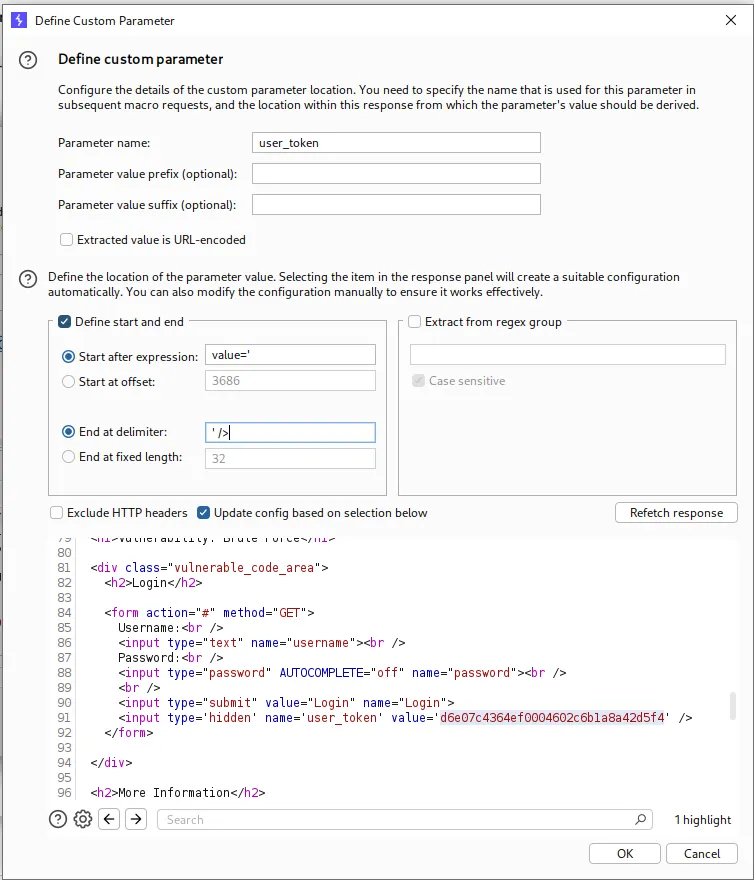
- Click
OKon everything and move on to creating the rule.
Rule creation
- Settings → Sessions → Session handling rules → Add
- Set a description for the rule and
Run a macroas the action: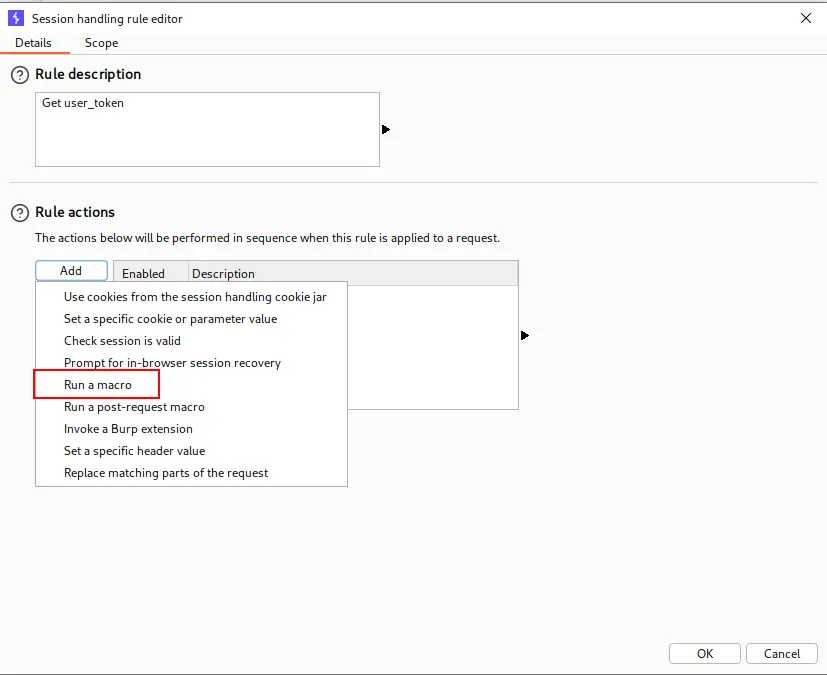
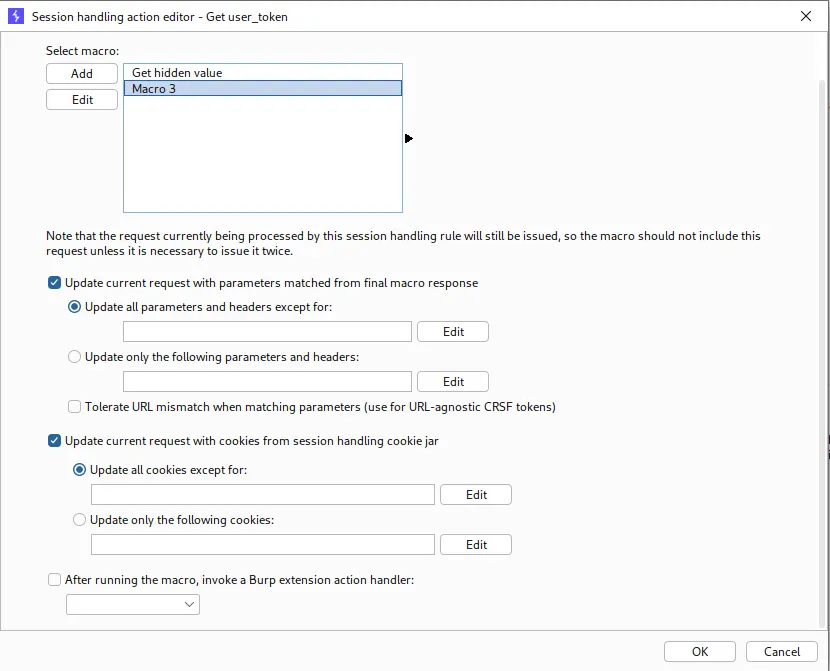
- Modify the
Scope. You’ll need to add the URL if you haven’t configured the scope under the project settings beforehand: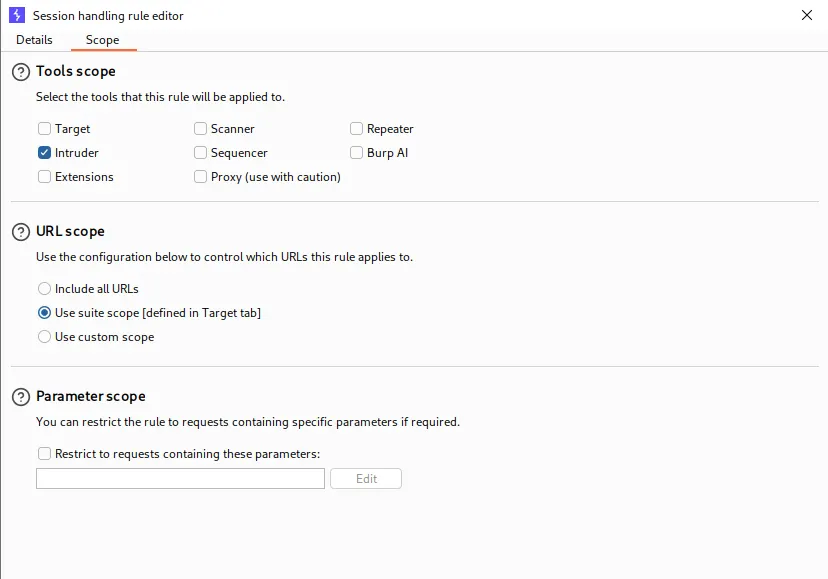
Intruder
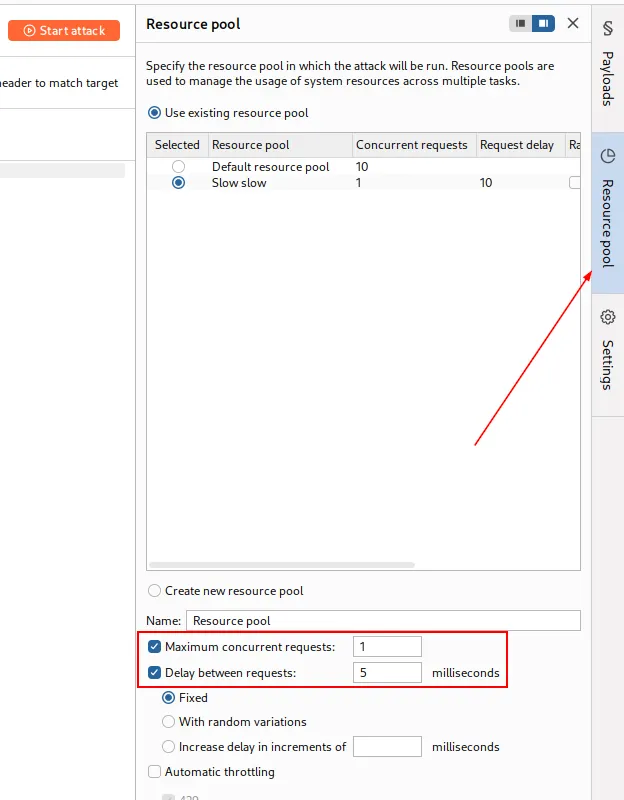
Send a login request to Intruder and add the payloads just like we did in the low security level. If you’re using Burp Suite Professional, you’ll need to modify the Resource pool to avoid concurrent requests. Otherwise, the same CSRF token will be reused across multiple requests and the attack won’t work.